


Table Of Content
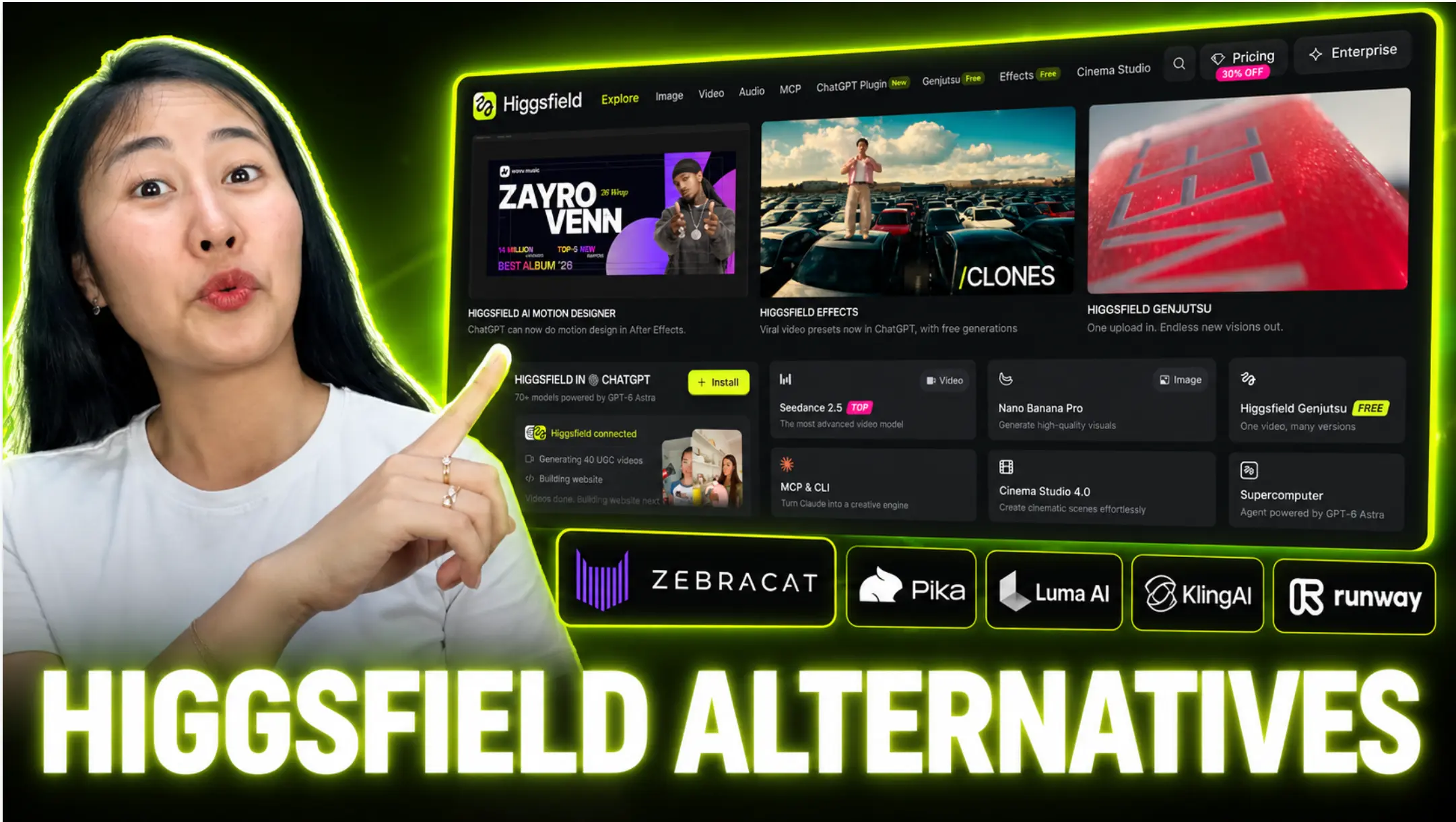
Higgsfield sells 120 or more models behind one login, and people still leave. The reason is almost never the output. It is the bill, and what you still have to build after the clip lands on your desktop.
Here is the short version, then the math.
The Short Answer
Three picks, by the job you are actually doing.
- Marketing and content teams, including UGC and product ads: Zebracat. You put in text, you get out a finished video with scenes, voiceover, music and captions, and it schedules and posts for you. Higgsfield gives you a shot. Zebracat gives you a post. Cat Mode is $39 a month, or $23 billed yearly.
- Raw video clips, where the shot itself is the deliverable: Runway, or Kling AI direct. Runway Standard is $12 a month billed annually for 625 credits and no watermarks. Kling AI direct lists Standard at $8.80 a month after the first-month offer, with 660 credits. Both hand you a clip, not a video: editing, voiceover, captions and music are your job and usually your second subscription.
- Cheapest possible, or genuinely free: Freepik's AI Suite, now branded Magnific, from $14.50 a month billed annually. Or ComfyUI self-hosted, which costs nothing in software and a lot in hardware and hours.
Stay on Higgsfield if you need Soul ID character consistency plus its camera presets for cinematic shots. Nothing on this list replaces that pair.
How We Tested, And What You Should Know About Us
We paid for our own Higgsfield Plus plan out of pocket and tested it ourselves. There are no affiliate links on this page, and no vendor paid for a placement or saw a draft.
Many pages ranking for this query are affiliate lists: they earn a commission when you sign up through their link, so their order follows the payout. This page has no affiliate links. It sits on zebracat.ai, so read the Zebracat entry with that in mind and check every number yourself.
Every price on this page was read on the vendor's own pricing page in September 2026, and where a vendor publishes nothing we say so. The number we care most about is not the plan price. It is credits per clip, times clips per video, times retries: what one finished video costs.
What Higgsfield Is Genuinely Good At
Start here, because most alternative lists skip it.
Higgsfield puts more than 120 models behind a single login and a single credit balance, so you are not holding five subscriptions and five prompt dialects in your head. Its 50 to 70 cinematic camera presets are the real differentiator, and no general-purpose tool on this list matches them for dolly, crash zoom, orbit and whip pan work that looks directed rather than drifted. Soul ID holds a character across shots well enough to carry a sequence, and it does ship multi-minute films, which several tools here cannot.
If that describes your work, the rest of this page is a read, not a reason to switch.
Why People Are Looking For A Higgsfield Alternative in 2026
Three themes, and they are all about scope rather than quality.
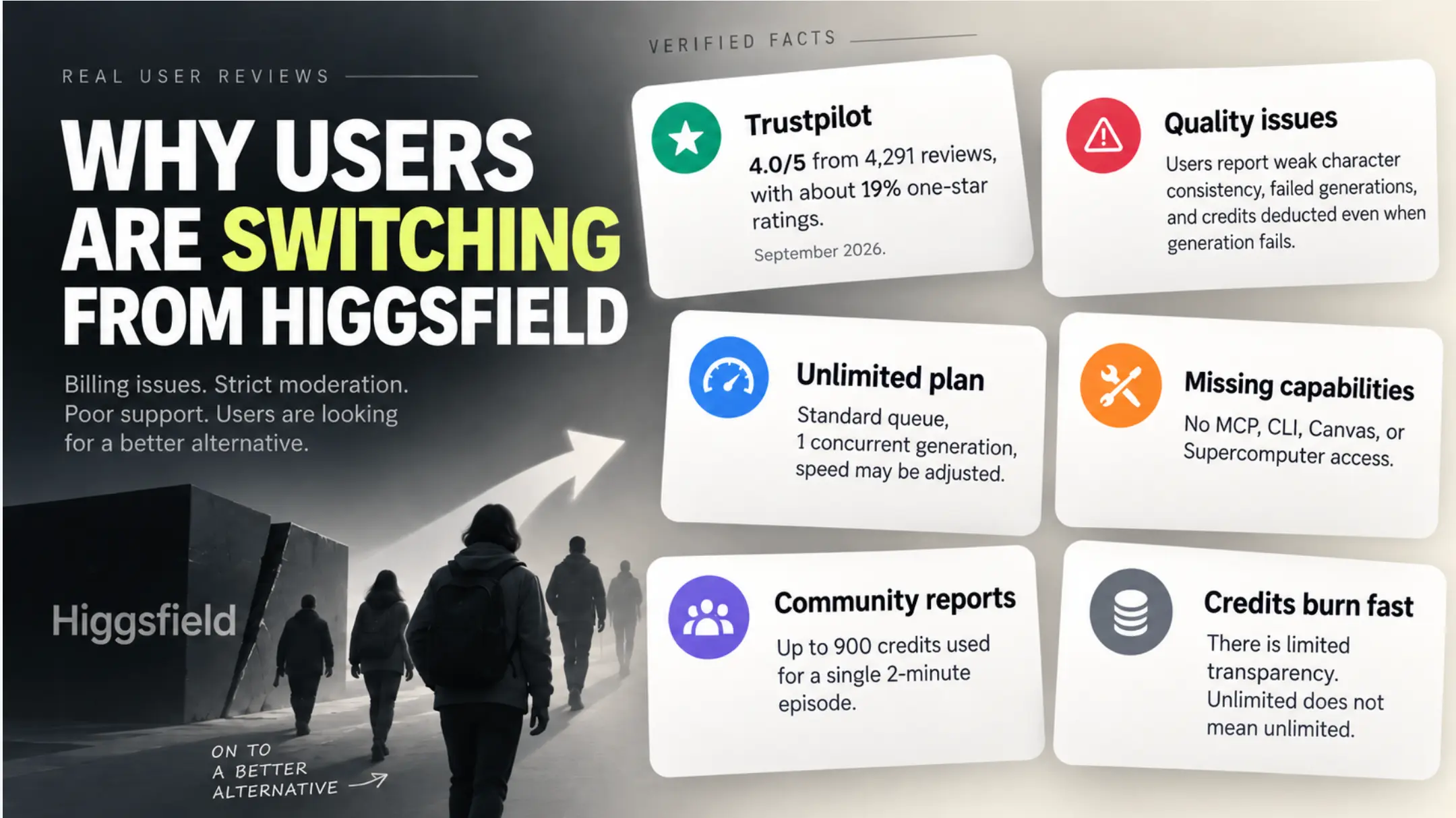
Pricing transparency. The terms around the money are harder to find than the prices. Credit burn. A short film can cost more than the plan that generated it. Output consistency. Prompt adherence and character drift force retries, and retries are what turn a credit budget into a monthly top-up habit.
Verified September 2026
- Trustpilot shows 4.0 from 4,291 reviews, with roughly 19% of them one star.
- Refunds are available within 7 days, only if zero credits have been used, and only on a first purchase.
- Credits do not roll over, and they are removed when you cancel or change plan.
- Unlimited runs in the standard queue at one concurrent job. The pricing page itself states that "Unlimited usage may be subject to dynamic speed adjustments during high-traffic periods" and that unlimited and free generations "are not accessible on MCP/CLI, Canvas or Supercomputer".
- Community findings, not vendor figures: users report 750 to 900 credits for a two-minute episode, and several hundred dollars for a single short film.
Prices and terms read on higgsfield.ai in September 2026. The checkout rendered in euros for our Berlin browser; the figures match what third parties quote in dollars.
None of this makes the output bad. It makes the output expensive and hard to schedule. One hero shot a month, survivable. Twenty social videos a month, and it stops being a tooling problem and becomes a budget problem.
What A Finished 60-Second Video Actually Costs
Every other page on this query prices subscriptions. Buyers buy finished videos. Here is the arithmetic, using Higgsfield's own published credit costs. A 60-second social video cut from 8-second clips needs 8 clips. Higgsfield's own plan calculator puts a Kling 3.0 generation at 8 seconds and 720p at about 14 credits. That is about 112 credits for one clean pass. One retry per scene, which is what users report as normal, doubles it to about 224 credits, or roughly 19% of a Plus month's 1,200 credits. On Seedance 2.0 at 720p, where 5-second clips run about 22 credits, the same minute needs 12 clips: about 264 credits per pass, about 528 with one retry each, or 44% of Plus.
| Setup | Clips needed | Credits, clean pass | Credits, one retry per scene | Cost at monthly rate | Still to do afterwards |
|---|---|---|---|---|---|
| Zebracat, Cat Mode | Handled for you | 1 of 15 monthly videos, script, images, voices and captions included | Regenerate scenes inside the same video | About $2.60 per video at $39 a month. | Review and publish. Script, scenes, voiceover, music and captions are already in it. |
| Higgsfield Plus, Kling 3.0 at 8s 720p | 8 | ~112 | ~224 | ~$5.50 clean, ~$11.00 with retries, at $59 for 1,200 credits | Write the script, record or generate voiceover, add music, caption, resize, assemble, schedule |
| Higgsfield Plus, Seedance 2.0 at 5s 720p | 12 | ~264 | ~528 | ~$13.00 clean, ~$26.00 with retries | Same as above |
| Higgsfield Plus, Sora 2 Pro at 1080p | 15 at 4s | ~750 | ~1,500, more than a Plus month | Plus does not cover one video with retries | Same as above |
Higgsfield credit costs are the vendor's own published per-generation figures, read on higgsfield.ai in September 2026, converted to dollars at the monthly plan rate of $59 for 1,200 credits. The retry column assumes one regeneration per scene, which is what users report as typical rather than worst case. Zebracat does not publish a per-video credit figure on its pricing page, so the Cat Mode line is the plan's published allowance of 15 videos a month divided into the monthly price.
Read the last column again. On Higgsfield the credits buy you shots. On Zebracat the plan buys the finished thing, and the shots are an implementation detail.

The 9 Best Higgsfield Alternatives in 2026
One list, grouped by the job. Pick your group, read two entries, stop.
For marketers and content teams
1. Zebracat - Best for turning text into finished, published video
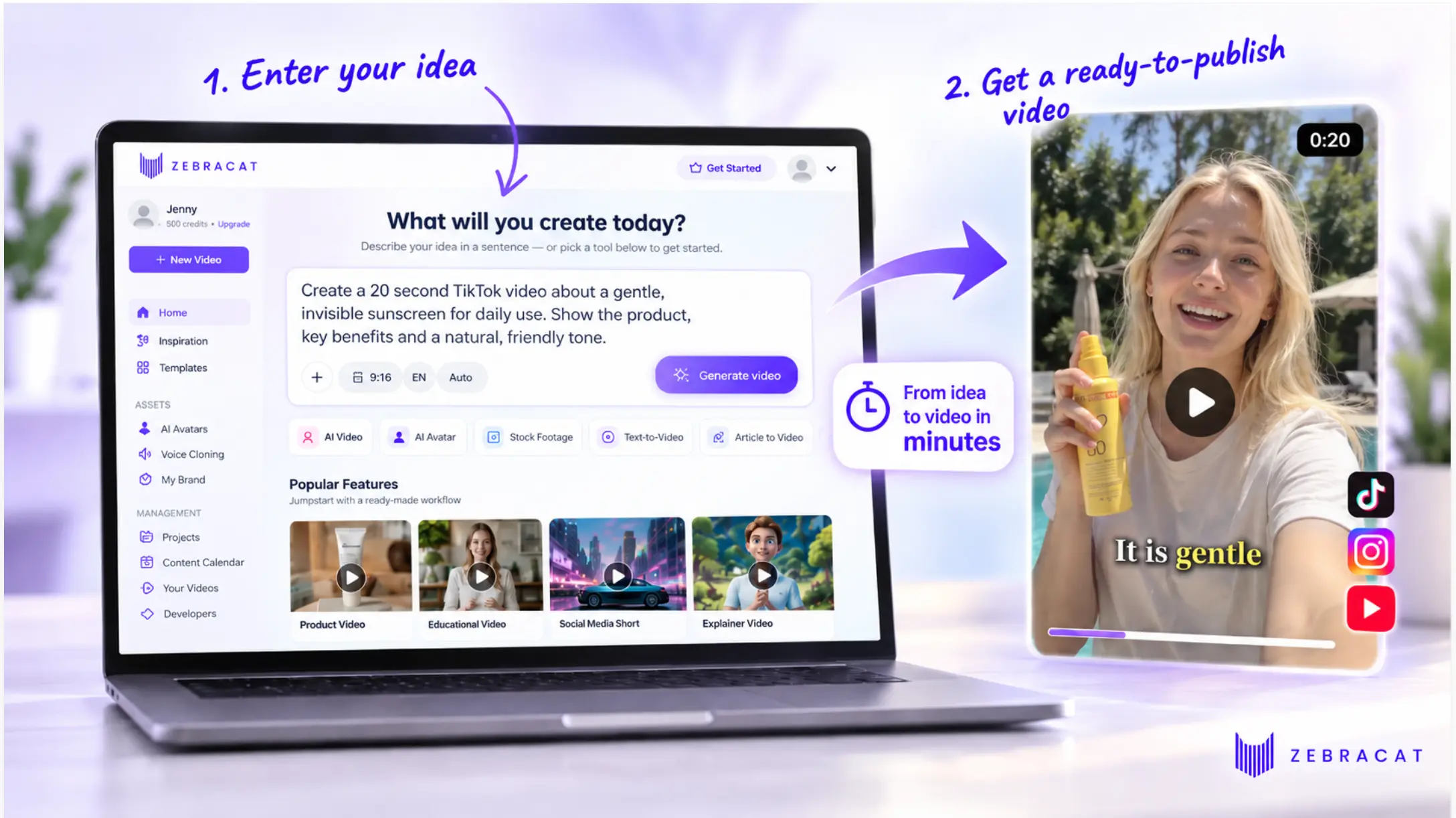
Zebracat takes a script, a blog post, a URL or an idea and returns a finished video: scenes, voiceover, music and captions, in the aspect ratio you need. It is built for people whose deliverable is a post, not a shot.
Why choose Zebracat over Higgsfield
Two reasons, and the first one is the one people miss.
Zebracat routes across the same model families Higgsfield sells, Kling, Veo, Seedance and others, and picks the best model for the job rather than pushing the hyped flagship model and burning your credits on it. It optimizes the generation flow and the prompts underneath, so you get better videos for less credit burn. Every top-tier model is still selectable manually if you want to force one.
The second is scope. Higgsfield stops when the clip renders. Zebracat is optimized end to end for finished social media videos: it schedules and posts across platforms including YouTube, then learns from the results, so the next batch is informed by the last one and the channel grows instead of the credit bill. That is a different product category from a shot generator, and it is the reason the cost-per-video table above ends the way it does.
Zebracat Best Features
- Text to finished video: script, scenes, voiceover, music and captions produced in one pass, no timeline work required
- Automatic model routing: picks the right model per scene across Kling, Veo, Seedance and others, tuned for cost as well as quality
- Manual model override: every top-tier model stays selectable if you want a specific look
- Publishing and growth loop: schedules and posts to the major platforms including YouTube, then learns from performance
- AI avatars and voice cloning: spokesperson video without a camera, in your own voice
- Standard AI voices in 175+ languages: brand kits on every paid plan, translation on Super Cat and above
- Everything is included in the video allowance: script generation, image generation, top-tier AI voices and cloned voices do not eat into your credits. Only high-end extras such as AI animation models draw on the separate AI credit pool. Pricing is built for testing video formats and scaling social content, not for metering every step
Zebracat Limitations
- No camera-preset language: there is nothing here like Higgsfield's 50 to 70 directed camera moves, and there is no Soul ID equivalent for holding one character across an entire film
- Length ceiling: 2 minutes on Cat Mode and 5 minutes on the higher plans, so multi-minute narrative films are out
- Limited free plan: 5 videos in total, 720p, 30 seconds each
- Per-video credit cost is not published: the pricing page lists videos per month and a credit pool, not what a given video consumes
- Less shot-level control: if you want to art-direct every frame, this is the wrong tool
Zebracat Pricing
- Free: 5 videos in total, 720p, up to 30 seconds each, no credit card
- Cat Mode: $23 a month billed yearly, or $39 month to month. 15 videos a month, 2 minute maximum, 350 generative credits, 1080p, no watermark
- Super Cat: $59 a month billed yearly, or $99 month to month. 40 videos, 5 minute maximum, 1,400 credits, 5 custom avatars, 5 voice clones, 5 brand kits
- Unlimited Cat: $119 a month billed yearly, or $199 month to month. Unlimited videos, 3,600 credits, 10 avatars, 10 voice clones
- Enterprise: from $599 a month, with API access and a dedicated success manager
Which Zebracat Plan Is Best For You?
- Cat Mode if you publish a few videos a week and want them watermark-free at 1080p.
- Super Cat if you run brand or client accounts and need avatars, voice clones and translation.
- Unlimited Cat if the video count, not the feature set, is your constraint. Full detail on the pricing page.
2. InVideo AI - Best for stock-footage videos in a browser editor
Why choose InVideo AI over Higgsfield
Because you want an editor, not a generator. InVideo is a browser video editor with AI added on top: a timeline, an iStock library, music, and several people on the same project. It is good at stock-footage videos, the explainer or listicle cut from library clips. It is not AI-native generation, and there is nothing after export: no scheduling, no posting, no feedback loop. If your objection to Higgsfield is that you rebuild the video somewhere else afterwards, InVideo is that somewhere else.
InVideo AI Best Features
- One credit pool: generative models and the iStock library draw from the same balance
- Timeline editor and multiplayer editing: several people in one project, which Higgsfield does not offer
- Agent Two: Lite on Starter, Lite, Pro and Ultra on Plus and above
InVideo AI Limitations
- Editor first, generation second: the default workflow matches library clips to your script; generative models are rationed by credit, and Starter gets Agent Two Lite only with no Seedance 2.0 or 2.5 access
- Free tier, watermark and commercial-use terms are not published on the pricing page
- Per-seat pricing: a three-person team on Plus is $150 a month before anyone generates anything
InVideo AI Pricing
- Starter: $20 per seat a month, 400 credits, 1 seat, 20 GB storage
- Plus: $50 per seat a month billed annually, $60 monthly, 2,000 credits, up to 10 seats, 60 GB
- Max: $100 per seat a month billed annually, $150 monthly, 5,000 credits, up to 20 seats, 200 GB
We went deeper on this one in our InVideo review, and there is a head-to-head on the InVideo alternatives page.
For raw video clips
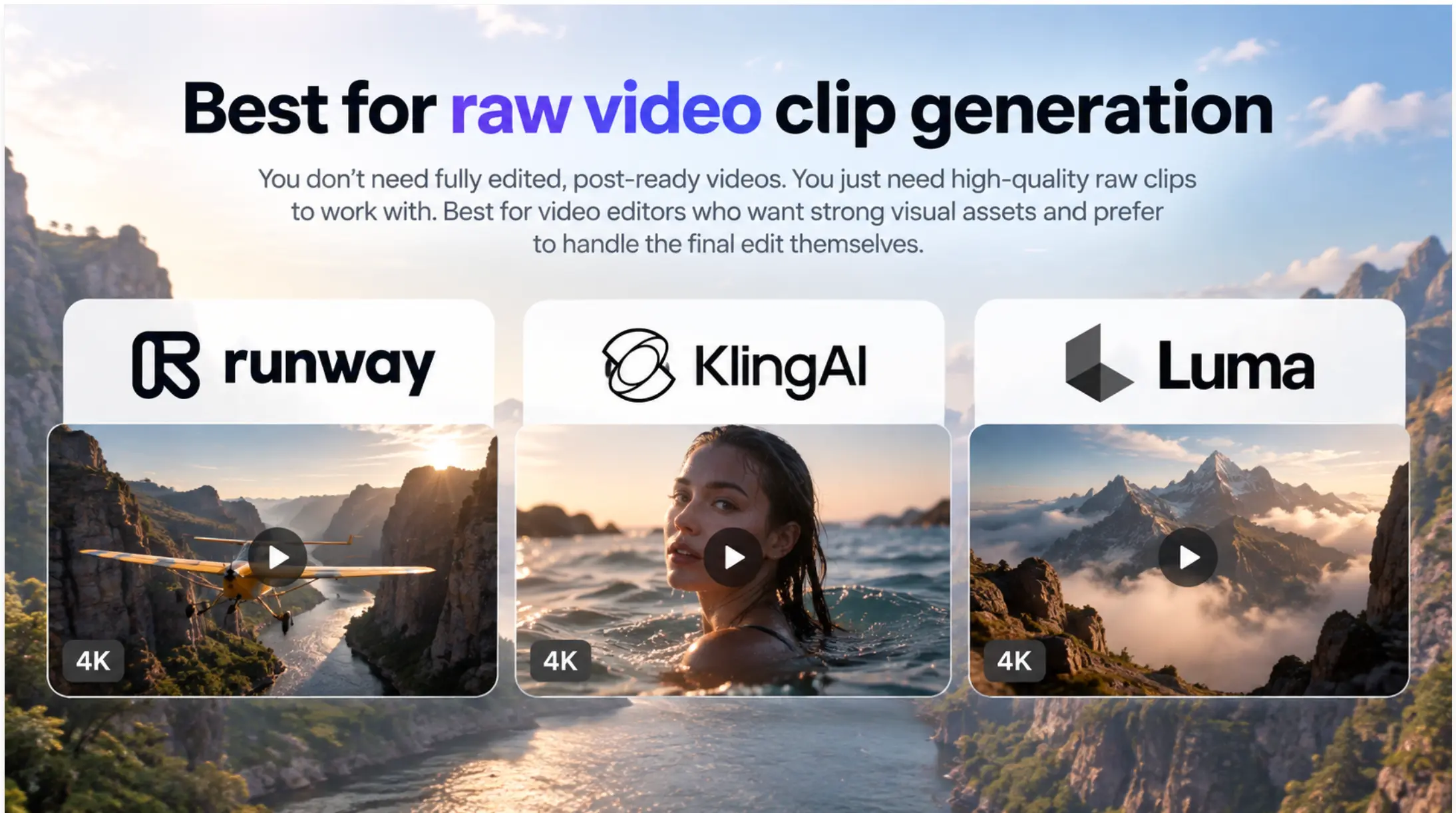
Read this before the next four. These tools sell raw clips: the shot, nothing around it. To turn a clip into something you can post you need editing skills and usually a second subscription for the editor, the voiceover, the captions and the music. If that is your workflow already, they are the right pick. If it is not, the price per clip is not the price you will pay.
3. Runway - Best for shot-level control and studio-grade export
Why choose Runway over Higgsfield
Transparency and throughput. The pricing page states credits, parallel generations and watermark policy plainly: 5 parallel generations on Standard, 15 on Pro, 20 on Max, against one concurrent job on Higgsfield's Unlimited. Max also rolls credits over for one month, which Higgsfield does not do at all.
Runway Best Features
- Gen-4.5 plus third-party models: Kling 3.0 and Nano Banana Pro included on paid plans
- Studio-grade export: HDR, ProRes and image sequences on Max
- Runway MCP: from Pro, for driving generations from your own tooling
Runway Limitations
- Free tier is one-time: 125 credits, once, not monthly
- No camera-preset library: you write the move into the prompt, which is the workflow Higgsfield's presets exist to remove
- Free-tier watermark policy and commercial-use wording are not published on the pricing page
Runway Pricing
- Free: 125 one-time credits, 5 GB
- Standard: $12 a month billed annually, $15 monthly, 625 credits, no watermarks
- Pro: $28 a month billed annually, $35 monthly, 2,250 credits
- Max: $76 a month billed annually, $95 monthly, 9,500 credits, rollover for one month
4. Kling AI - Best for buying Kling without the middleman
If the clips you liked on Higgsfield were Kling clips, and for a lot of people they were, you can buy Kling from Kling.
Why choose Kling AI over Higgsfield
Queue behavior, stated in writing. Every paid Kling tier lists "Queue unlimited tasks" and "Fast-track generation", and the plan FAQ describes "a dedicated generation queue, unlimited concurrent generation tasks". Compare that with one concurrent job and a pricing page that warns about speed adjustments in high-traffic periods. You also cut out a layer of markup on the same underlying model.
Kling AI Best Features
- Kling 3.0 and 3.0 Omni: synchronized audio and video, storyboarding and element reference
- Kling Motion Control: motion capture driven movement and facial expression
- Native 4K and four videos per generation: on every paid tier, against one on free
Kling AI Limitations
- The free tier is thin: Basic shows a dash against monthly credits, commercial use, watermark removal and 1080p
- First-month pricing is the headline: the big numbers are first-purchase offers, available once, and the real rate is the "then" price
- It is a clip generator: no script, no voiceover, no captions, no publishing
Kling AI Pricing
- Basic: $0, no monthly credits, no commercial use
- Standard: $6.99 first month, then $8.80 a month, 660 credits
- Pro: $25.99 first month, then $32.56 a month, 3,000 credits
- Premier: $64.99 first month, then $80.96 a month, 8,000 credits
- Ultra: $127.99 first month, then $159.99 a month, 26,000 credits
A yearly toggle advertising 34% off sits on the same page. Credit value improves sharply with tier, from $1.06 per 100 credits on Standard to $0.49 on Ultra.
5. Luma Dream Machine - Best for fast iteration when you do not want to pick a model
Why choose Luma over Higgsfield
Credit volume and routing. Plus is $25 a month billed yearly for 10,000 credits, and the Luma Agent, in the vendor's words, "automatically selects the most appropriate model for your request" across its own Ray models plus Veo 3.1 and Kling 3.0. You are not deciding which flagship to burn credits on, which is the exact failure mode people complain about on Higgsfield. It is the same routing idea Zebracat applies, pointed at single shots instead of finished videos.
Luma Best Features
- Automatic model selection: across Ray3.2, Ray3.14, Veo 3.1 and Kling 3.0
- Large credit allowances: 10,000 on Plus, 150,000 on Ultra
- Commercial use: listed on all individual plans
Luma Limitations
- Credits expire monthly: verbatim, "Any unused credits expire at the end of the applicable billing cycle and will not be carried over to the subsequent month", the same rule people object to on Higgsfield
- Free tier is not published: a "Try for free" button, no plan detail, no watermark policy
- Entry price is high for a clip tool: $30 monthly, against $8.80 for Kling AI direct
Luma Pricing
- Plus: $30 a month, or $25 billed yearly at $300, 10,000 credits
- Pro: $90 a month, or $75 billed yearly at $900, 40,000 credits
- Ultra: $300 a month, or $250 billed yearly at $3,000, 150,000 credits
- Team and Enterprise: contact sales
6. Pika - Best for cheap effects work and the most honest free tier here
Why choose Pika over Higgsfield
$8 a month removes the watermark. That is the whole argument. If you are generating short effect-driven clips for social, Basic at $8 gets you 80 credits a month, clean exports and commercial use, against Higgsfield's $19 Starter for 270 credits. And Pika's free tier permits commercial use, which is rare.
Pika Best Features
- Pikaffects, Pikascenes, Pikaswaps, Pikadditions, Pikatwists: a named effects vocabulary rather than prompt guesswork
- Commercial use on every tier: including the free plan
- Pikaframes: on Standard and above
Pika Limitations
- 480p on Free and Basic: all resolutions require Standard at $28
- 80 credits on Basic: same allowance as free, you are paying purely to drop the watermark
- Effects, not films: no Soul ID equivalent, no multi-minute narrative work
- The Fancy tier lists 6,000 credits with no published price
Pika Pricing
- Free: 80 credits a month, 480p, watermarked, commercial use permitted
- Basic: $8 a month, 80 credits, no watermark, 480p
- Standard: $28 a month, 700 credits, all resolutions
- Pro: $76 a month, 2,300 credits
For UGC and product ads
Zebracat covers this job too: product and UGC-style ads with AI avatars and cloned voices are part of the same text-to-finished-video flow, and the ads get scheduled and posted like everything else. Creatify is the pick only when you need a large catalog of ready-made AI actors reading scripted hooks.
7. Creatify - Best for a large catalog of AI actors for ad variants
Why choose Creatify over Higgsfield
Because ad creative is a template problem, not a cinematography problem. Creatify's Pro tier lists 1,500 realistic AI actors, 3 custom avatars and 40 ad templates, and the workflow starts from a product URL rather than a prompt. Higgsfield can make a beautiful shot of a product. It cannot make a spokesperson read your hook in twelve variants. Neither Creatify nor Higgsfield posts the result or learns from it; that part you still run by hand.
Creatify Best Features
- 300 AI actors on Starter, 1,500 on Pro: plus 3 custom avatars on Pro
- Ad templates: 40 even on the free plan, built for paid social formats
- Product URL to video ad: no prompt engineering required
Creatify Limitations
- Watermarks on Free and Starter: only Pro and Enterprise list "No Watermark", and Starter is $39
- Thin free tier: 10 credits a month, about 2 video ads
- Annual prices and commercial-use terms are not published: the page advertises "SAVE UP TO 50% ON ANNUAL PLAN" without showing the resulting rate
Creatify Pricing
- Free: 10 credits a month, watermarked
- Starter: $39 a month, 100 credits, watermarked
- Pro: $99 a month, 300 credits scaling to 5,000, no watermark
- Enterprise: custom
Cheap, free or open
Worth saying before these two: cheap per generation and cheap per finished video are different numbers. Both of these give you raw assets only. A $14.50 model marketplace is only cheaper than Zebracat's Cat Mode if your editing time, your editor subscription and your voice and caption tools cost nothing.
8. Freepik AI Suite - Best for the most models per dollar
This one answers a question people are actively searching: is Freepik better than Higgsfield? The honest first answer is that Freepik is not quite called Freepik any more. The pricing page now reads "Magnific (formerly Freepik)", and freepik.com/pricing redirects to magnific.com/pricing. The AI Suite is the same product line.
Why choose Freepik over Higgsfield
Breadth per dollar. Premium is $14.50 a month billed annually, with a "Commercial AI license" and "Access to all image, video & audio models", including Kling, Wan, Veo, Seedance, LTX and Sora tiers on one balance. That is a similar pitch to Higgsfield's many-models-one-login at roughly a quarter of the Plus price. The suite also covers images and audio, so it replaces more than one subscription.
Freepik Best Features
- All models on one credit balance: video, image and audio
- Published per-model credit costs: Kling 2.6 at 45 credits at 1080p, Veo 3.1 Lite at 40, Wan 3.0 at 60, 120 or 240 by resolution, Sora 2 Pro at 450 to 1,100
- Commercial AI license on all paid plans: music rights added on Premium+ and Pro, and no model training on your data
Freepik Limitations
- The rebrand is confusing: two brand names, two domains, one product, and search results still say Freepik
- Credits are quoted per year on the pricing page and per month in the docs: 240K a year on Premium is 18,000 a month, the same number stated two ways
- Free tier requires attribution: "limited daily access and attribution requirements", with no credit figure and no watermark policy published
- No camera presets, no character-consistency system: a model marketplace, not a director's tool
Freepik Pricing
- Premium: $20 a month, or $14.50 billed annually, 240K credits a year
- Premium+: $45 a month, or $33.75 billed annually, 600K credits a year, adds music rights
- Pro Starter: $110 a month, or $82.50 billed annually, 1.5M credits a year
Prices exclude VAT and local taxes, per the vendor's own note.
9. ComfyUI with open-weight models, self-hosted - Best for zero marginal cost, if you have the hardware
This is the honest answer to the GitHub question in the search results. There is no open-source Higgsfield. There is an open-source way to run the models Higgsfield rents you, and ComfyUI is it.
Why choose ComfyUI over Higgsfield
No credits, no queue, no plan changes that delete your balance. You download the desktop app, run it on your own GPU, and generate until the machine gets hot. The homepage names Wan 3.0, Wan Animate 2 and LTX 2.5 among supported open-weight video models, alongside "60,000+ nodes" and thousands of community workflows. After the hardware, a retry costs you electricity.
ComfyUI Best Features
- Runs on your own hardware: open-weight video models including Wan 3.0, Wan Animate 2 and LTX 2.5
- Node graph control: "control over every model, every parameter, and every output", which no hosted tool here offers
- Nothing expires: your workflows and models are files on your disk
ComfyUI Limitations
- You need a serious GPU: the site publishes no VRAM or hardware requirements, and current open-weight video models are demanding. Budget for a high-VRAM card or cloud GPU time
- It is a skill, not a signup: node graphs, model files, samplers, schedulers, dependency management. Expect days, not minutes
- No script, voiceover, captions or publishing: and no support desk when a workflow breaks
- Licensing is per model: check commercial terms model by model rather than assuming
ComfyUI Pricing
- Software: free to download and run
- Real cost: hardware, electricity and your time. There is no published price because there is no price
Higgsfield Alternatives Compared
| Tool | Best for | Where the visuals come from | What happens after the video is made | Starts at |
|---|---|---|---|---|
| Zebracat | Text into finished, published video | Generated, with the best model picked per scene across Kling, Veo, Seedance and others | Schedules and posts across platforms including YouTube, then learns from results | $23/mo |
| InVideo AI | Stock-footage videos in a browser editor | iStock library first, generative models by credit | You edit on the timeline, then export | $20/seat/mo |
| Runway | Shot-level control and studio export | Gen-4.5 plus Kling 3.0 and Nano Banana Pro | You export to your NLE, including ProRes on Max | $12/mo |
| Kling AI | Buying Kling without a middleman | Kling 3.0 and 3.0 Omni, native 4K | You export the clip | $8.80/mo |
| Luma Dream Machine | Fast iteration with automatic routing | Ray3 models plus Veo 3.1 and Kling 3.0 | You export the clip | $25/mo |
| Pika | Cheap effects and character animation | Generated by Pika 2.5 | You export the clip | $8/mo |
| Creatify | Volume ad creative with AI actors | AI actors and ad templates from a product URL | You export and take it to your ad platform | $39/mo |
| Freepik AI Suite | Most models per dollar | Kling, Wan, Veo, Seedance, LTX and Sora on one balance | You export, nothing after that | $14.50/mo |
| ComfyUI, self-hosted | Zero marginal cost per generation | Open-weight models on your own GPU | You build the rest yourself | $0 plus hardware |
| Higgsfield (for reference) | Cinematic shots with directed camera moves | 120+ models, camera presets, Soul ID | You export, then assemble, caption and publish elsewhere | $19/mo |
Starting prices are the cheapest paid plan, annual billing where the vendor publishes it, read on each vendor's own pricing page in September 2026. Kling AI's figure is the ongoing rate after the one-time first-month offer. Higgsfield's are the euro-denominated figures shown to our Berlin browser.
One column does most of the work here. Seven of the nine tools end at "you export". Zebracat is the only row where the video leaves the tool and goes somewhere, which is the difference between owning a generator and owning a channel.
How To Switch, And Where To Go
Check the refund rule before you cancel: 7 days, zero credits used, first purchase only. Generate one clip and the window is closed, so time the switch for the end of a billing period, and spend the credit balance first because it does not survive a cancellation or a plan change.
| Your problem with Higgsfield | Go to | Why |
|---|---|---|
| Credits vanish and I still have to assemble the video | Zebracat | The plan buys finished videos, and publishing is included |
| The queue is too slow at one concurrent job | Runway or Kling AI | 5 to 20 parallel generations on Runway, "queue unlimited tasks" on every paid Kling tier |
| I want the Kling output without the markup | Kling AI direct | 660 credits at $8.80 a month, four videos per generation |
| I only need short effect clips for social | Pika | $8 a month removes the watermark, commercial use on every tier |
| I need UGC or product ads with a spokesperson | Zebracat, or Creatify for a large actor catalog | Zebracat makes, voices and posts the ad; Creatify has 1,500 ready-made AI actors if you need many faces |
| I want the widest model access for the least money | Freepik AI Suite | All video, image and audio models on one balance from $14.50 a month |
| I refuse to pay per generation at all | ComfyUI self-hosted | Free software, open-weight models, your GPU and your time |
| I need Soul ID consistency plus camera presets | Stay on Higgsfield | Nothing here replaces that combination |
If you are moving because you want the whole pipeline rather than the shot, the fastest test is to run the same script through both. Start on the text to video flow and compare what comes back with your last Higgsfield export.
Higgsfield Alternatives: Frequently Asked Questions
What are some free AI video generators similar to Higgsfield?
Pika's free plan is the most usable: 80 credits a month at 480p, watermarked, with commercial use permitted, which is unusual. Runway gives 125 credits once, not monthly. Creatify gives 10 credits a month, about two ads, watermarked. Zebracat's free plan gives 5 finished videos at 720p and 30 seconds. Kling AI's Basic tier is free but lists no monthly credits, no commercial use and no watermark removal, so it is a demo rather than a free tier. Freepik's free tier carries attribution requirements and publishes no credit figure.
How to get Higgsfield for cheap?
The annual toggle is the only real discount the vendor offers: Plus drops from $59 to $47 a month and Ultra from $129 to $99, at the cost of committing for a year to a plan whose credits expire monthly and disappear if you downgrade. Starter at $19 is listed at the same price monthly or annually. If cheap is the actual goal, the honest answer is that buying the same models elsewhere is cheaper: Kling AI direct at $8.80 a month, Freepik's AI Suite at $14.50, or Runway at $12.
What is the best unrestricted AI video generator?
Not one that we make, and not one on this list. Every hosted tool here, Zebracat included, runs content filters and enforces terms of use, and we are not going to pretend otherwise or point you at a service that skips them. If your work is being blocked by a filter that should not apply to it, the only real answer is self-hosting: ComfyUI with open-weight models runs on your machine under the licenses those models carry. That also means the legal responsibility for the output is entirely yours.
Which is better, Freepik or Higgsfield?
Different products. Freepik's AI Suite, which now brands itself Magnific, is a model marketplace: all video, image and audio models on one credit balance from $14.50 a month annually, with a commercial license and published per-model credit costs. Higgsfield is a director's tool: camera presets, Soul ID consistency, and a workflow built around shots. For cost per generation across many models, Freepik wins clearly. For a specific camera move on a consistent character, Higgsfield does something Freepik does not attempt.
Is Higgsfield better than Kling AI?
Higgsfield resells Kling among its 120-plus models, so on raw output for Kling shots you are comparing the same model. What Higgsfield adds is presets, Soul ID and one login across many models. What Kling AI direct adds is price and throughput: 660 credits at $8.80 a month, four videos per generation, and "queue unlimited tasks" on every paid tier against one concurrent job on Higgsfield's Unlimited. If you mostly generate Kling clips, buy them from Kling.
Is there a free alternative to Higgsfield AI available on GitHub?
There is no open-source clone of Higgsfield. What exists is the open stack underneath: ComfyUI as the interface, and open-weight video models such as Wan 3.0, Wan Animate 2 and LTX 2.5 as the generators. That combination is free to download and run on your own hardware, with no credits and no queue. It is not a drop-in replacement. You need a high-VRAM GPU, you manage model files and node graphs yourself, and each model carries its own license, so check commercial terms per model.
Can I use Higgsfield for free?
There is a free tier, and on the pricing page it shows zero credits and no commercial use, which means it is for looking rather than working. Paid plans start at $19. Note the refund rule before you treat a paid month as a trial: refunds are available within 7 days, only with zero credits used, and only on a first purchase, so generating a single clip closes the window.
Which one should I pick?
If you are a marketer or a content team publishing several videos a week, pick Zebracat on Cat Mode and stop shopping. It is the only tool here that turns text into a finished, captioned, voiced video and then publishes it, and the cost per finished video is the lowest on this page. If your deliverable is a single cinematic shot, pick Runway Standard at $12 a month, or Kling AI direct at $8.80 if the shot is a Kling shot. If you need Soul ID plus camera presets, stay where you are.
The Bottom Line
Higgsfield is not a bad product. It is a shot factory sold to people who need videos, and the gap between those two things is where the money goes: credits per clip, retries per scene, and a second afternoon spent assembling, captioning and scheduling what the clip was supposed to become.
If the raw clip is the deliverable and you have the editing stack to finish it, Runway and Kling AI do it cheaper with more throughput, and Higgsfield's camera presets and Soul ID are still worth paying for. If the post is the deliverable, the arithmetic is not close, and Zebracat is the entry we would defend hardest: same model families, better routing, and the video actually leaves the building. We ran the same exercise for Pictory alternatives and for CapCut.
All prices on this page were verified on each vendor's own pricing page in September 2026, Zebracat's included. Where a vendor does not publish a figure we say so rather than guessing. Pricing in this category moves monthly, so check before you buy.

Hey there, I’m Jenny. I’ve been in marketing for almost 10 years, and I love marketing tech, AI, and automation. I’ve built several YouTube and TikTok channels—some hits, some misses. I joined Zebracat after being a user myself, ready to share my learnings with the world!
Create videos 10x faster and easier with Zebracat
Try it now
Comments