


Table Of Content
Lumen5 still does the thing it was built to do. Paste a link or a script, get a branded video back, no editing skills required. That has not changed. What has changed is everything around it.
Lumen5 is a stock footage tool with AI on top. Its core asset is a media library, and its AI's job is to find clips that roughly match the words you gave it. The rest of the category moved on. Some tools got better at that same job. A newer group generates the visuals instead of searching for them, which is a different product with different strengths and a different failure mode. That split is what this guide is organized around, because it is the decision you are actually making.
I have used Lumen5, and two things pushed me off it. The scene matching pulls footage that is near my topic rather than about it, so I end up replacing clips by hand on anything technical. And it went down more than I would like over the past couple of months. Neither of those is a matter of taste. Lumen5 publishes its own status page, and it reports 98.86% app uptime for June to September 2026, including a full outage of just over six hours on 11 June.
Everything else below about Lumen5 is read from Lumen5's own pricing page, help center and live plan data, so you can check every number yourself in about fifteen minutes. Prices for all seven alternatives were verified on each vendor's own pricing page on 4 September 2026.
Whether you are a solo creator, a marketer running content for a brand, or a small team that has outgrown one seat, there is something here for you. Start with the table.

The Best Lumen5 Alternatives at a Glance
- 1. Zebracat: best for growing on social media with AI video
- 2. Hypernatural: best for turning an idea into a ready to share video
- 3. Pictory: best for turning long articles and recordings into video
- 4. InVideo: best for several AI models on one credit pool
- 5. Jogg AI: best for e-commerce and product videos
- 6. Revid AI: best for automated short form posting
- 7. VEED: best for full editing control in the browser
| Tool | Best for | Where the visuals come from | What happens after the video is made | Starts at |
|---|---|---|---|---|
| Zebracat | Growing on social with AI video | Generated, with the newest models picked per scene automatically | Schedules and posts to every platform including YouTube, then learns what works for your brand | $23/mo |
| Hypernatural | An idea into a finished short video | Generated B roll from models it brokers for you | You export | $29/mo |
| Pictory | Long articles and recordings into video | Stock library matched to your script text | You export | $25/mo |
| InVideo | Several AI models on one credit pool | iStock library plus generative models you choose | You export | $17/mo |
| Jogg AI | E-commerce and product videos | AI avatars plus your product page assets | You export | $24/mo |
| Revid AI | Automated short form posting | Generated clips and stock | Posts to TikTok, Instagram and YouTube on a schedule | $32/mo |
| VEED | Full editing control in the browser | Your own footage and stock, plus AI credits | You export | $12.25/mo |
| Lumen5 (for reference) | A blog post into a branded stock video | Stock library matched to your text | You export | $19/mo |
Starting prices are the cheapest paid plan, annual billing where the vendor offers it, verified on each vendor's own pricing page on 4 September 2026. Full plan detail sits in each tool's section below. Month to month billing costs more on every tool here.
What Makes the Best Lumen5 Alternative?
Lumen5 is a genuinely useful tool for turning text into video. People do not leave it because it is bad. They leave it when they hit one of its walls, and the walls are unusually specific and unusually easy to verify.
The first is resolution. 1080p is the ceiling on every Lumen5 plan, including the Team plan at $3,828 a year. Lumen5's help center says so itself, and adds that 4K uploads are downconverted on the way in. There is no 4K anywhere in the product. If you need it, no amount of money on this platform buys it.
The second is seats. Every self serve plan up to Pro is limited to one user, and there is no extra seat you can buy at any price on those plans. The moment a second person needs access, you move to the Team plan at $3,828 a year, which is a 114% jump from Pro. For a two person marketing team that is the single biggest reason to look elsewhere, because most competitors sell seats for $15 to $30 each.
The third is the media library, and this is where Lumen5's own site contradicts itself. The pricing page advertises over 50 million stock assets. One help article says over 500 million. Another says 200 million. A fourth breaks it down honestly: a standard library of 15 million, a premium tier adding 2 million, and a separate marketplace of 160 million that most plans do not include. What a Free or Basic user actually browses is 15 million, which is a long way from the headline.
The fourth is rationing. Lumen5 has added real AI features over the past two years, but the allowances are small. Basic at $29 a month gives you 20 AI voiceover minutes, one AI animation minute and one video translation per month, against a maximum video length of ten minutes. That is two narrated videos a month. Starter at $79 gives you six.
Worth being accurate about one thing, because most articles on this subject get it wrong: Lumen5 does have AI voiceover, and has since its ElevenLabs partnership in late 2023. Several of the pages currently ranking for this search say it does not. It also has AI avatars on every paid plan and AI image generation. The fair criticism is not that Lumen5 has no AI. It is that the default workflow is still matching stock clips to your text, and the generative parts are metered so tightly that they are hard to build a weekly cadence on.
So a good Lumen5 alternative does at least one of these things properly: it generates visuals rather than searching a library for them, it lets more than one person use it without a four figure jump, it exports above 1080p, or it takes the video somewhere after you have made it. The seven below are grouped by which of those they solve.
What Lumen5 Costs in 2026, and Where It Stops
Lumen5's pricing page defaults to annual billing, which is why most articles quote $19, $59 and $149 as if they were monthly prices. They are the annual rates. Month to month, the same plans are $29, $79 and $199. Here is the full ladder, read from Lumen5's live plan data on 4 September 2026.
| Plan | Month to month | Billed yearly | Max export | AI voice minutes per month | Animation minutes per month | Seats |
|---|---|---|---|---|---|---|
| Free | $0 | - | 720p | 2 | 0 | 1 |
| Basic | $29 | $19/mo, $228/yr | 720p | 20 | 1 | 1 |
| Starter | $79 | $59/mo, $708/yr | 1080p | 60 | 2 | 1 |
| Pro | $199 | $149/mo, $1,788/yr | 1080p | 180 | 5 | 1 |
| Team | Annual only | $3,828/yr | 1080p | 3,000 | 60 per year | 3 |
Read from Lumen5's own pricing page and live plan data on 4 September 2026. Maximum video length is two minutes on Free and ten minutes on every paid plan, Team included.
The limits worth knowing before you renew
- 1080p is the ceiling everywhere. Including Team at $3,828 a year. 4K uploads are downconverted. Paying more buys you more allowance, not better output.
- HD costs $79 a month. The $29 Basic plan exports at 720p. 1080p starts at Starter.
- One seat, and no seat to buy. Free, Basic, Starter and Pro are all single user, with no purchasable extra seat. A second person means the Team plan.
- Ten minutes is the hard length limit on every paid plan, Team included.
- One AI translation a month on every plan up to $708 a year, despite translation being marketed as a headline paid feature.
- Custom watermark and font upload need the $199 plan, even though the Basic plan card advertises custom colors and fonts.
- Unlimited videos is not quite unlimited. The pricing table promises no restrictions. The billing FAQ says accounts may be flagged above 500 videos a month on Basic and 1,500 on Starter. It will not bite most people, but the two pages contradict each other.
- There is no free trial on any paid plan, only a seven day money back window that you have to request by email.
- Leaving is stickier than it looks. Videos you already rendered stay clean, but duplicating or editing one after you downgrade re-applies free plan branding to the new draft, so your back catalog stops being reusable.
What I found using it
Two things, and they are the reason I went looking in the first place.
The scene matching works on keywords rather than meaning. Feed it a paragraph on a technical or niche subject and it returns footage that is adjacent to the words rather than about the idea, which means going through the storyboard and replacing clips by hand. On general business copy it is fine. On anything specific it costs you the time the tool was supposed to save. This is the oldest complaint about Lumen5 and it is still the live one.
The second is stability. I ran into outages over the past couple of months, and Lumen5's own status page backs that up rather than contradicting it: 98.86% app uptime for June to September 2026, with five logged incidents in eight weeks including a full outage on 11 June lasting just over six hours, and a nineteen hour major degradation the day before. For context, most paid software in this category targets 99.9%. Their troubleshooting documentation also warns that if a render fails, the video is dropped from the queue and may not come back until 11am PST the next day. If you publish to a schedule, price that in.
What Lumen5 still gets right
A fair list, because a page that only attacks is not worth reading. Lumen5 lets you pause a subscription for up to three months instead of canceling. It grandfathers people on retired plans rather than forcing migrations. It will automatically clear most YouTube copyright claims on videos made with its library, usually within thirty minutes, which is a real problem solved. Its free plan does not stamp a watermark over your footage, it adds a branded end card, which is more generous than several competitors. And ease of use is the single most consistent thing reviewers praise about it across every review platform. If none of the walls above apply to you, staying put is a defensible decision.
Best Lumen5 Alternatives I Tried in 2026 (Free & Paid)
1. Zebracat - Best for Growing on Social Media With AI Video
Zebracat is an AI-powered video tool that turns text into fully edited, engaging videos in minutes, with no editing skills needed. It’s built for marketers, content creators, and business owners who want to make high-quality videos quickly and easily.
Zebracat takes care of everything, from writing scripts and creating scenes to adding voiceovers and background music.

What makes Zebracat different from Lumen5 is its advanced AI. While Lumen5 mostly rearranges templates and stock footage, Zebracat generates custom visuals that match your content, making your videos look more unique and less generic.
The bigger difference is what Zebracat does before and after the video exists. It researches what is already working in your niche and builds on the formats that perform, rather than starting from a blank prompt. Once the video is made it schedules and publishes it across your social platforms, YouTube included, then reads the results and learns what works for your brand and what you personally keep approving. Every other tool on this page except Revid AI stops at the export button.
The second difference is model choice, or rather the absence of it. Zebracat plugs into the newest AI video models, usually within days of release, and picks the right one per video and per scene automatically, tuned for the best quality per credit. You never have to learn which model is good at what. If you have ever tried to work out whether a given shot should go to Veo, Kling or Seedance, that is the homework Zebracat removes.
Zebracat saves time by automating tasks that would take hours to do manually in Lumen5. Instead of spending time adjusting templates, you get a finished video in minutes.
Users also love its natural-sounding AI voices, which sound more realistic compared to the robotic voices often found in Lumen5.
Another big plus is content repurposing. You can easily turn blog posts, articles, or other text-based content into engaging videos without spending extra time on editing. If you want high-quality videos that don’t feel like cookie-cutter templates, Zebracat is a great option.
Zebracat Best Features
- AI Visual Style Generator - Creates 78+ unique visual styles for distinctive videos without manual adjustments.
- Human-Like AI Voices - Offers 150+ realistic AI voices across 80+ languages for professional-sounding narration.
- Voice Cloning - Replicates your voice for consistent branding without repeated recording sessions.
- One-Click Video Generation - Just input text, and Zebracat handles everything from script organization to visual creation.
- Original AI Visuals - Generates custom visuals rather than recycling generic stock footage like other platforms.
- 1M+ Stock Footage Library - Access a vast collection of high-quality clips when needed.
- Smart Music Selection - AI automatically chooses the best music and sound effects to complement your content.
- Customization Controls - Fine-tune AI-generated content without starting from scratch.
- Automatic Model Routing - Picks the right AI video model per scene automatically, so you never choose one.
- Publishing and Growth Loop - Schedules and posts across social platforms including YouTube, then learns from how each video performs.
- Niche Research Built In - Finds the formats already working in your niche and builds on them.
- AI Scene Generator - Transforms text into dynamic, narrative-driven visual sequences.
- YouTube-Optimized Videos - Creates content specifically designed to perform well on YouTube.
Zebracat Limitations
- Free Plan Restrictions - The free plan is capped at 5 videos a month, 720p and 30 seconds, which is enough to judge the output and not enough to work with.
- Limited Advanced Editing - While it allows for customization, it doesn't have the advanced tools found in professional software like Adobe Premiere.
- Occasional Processing Delays - During high-usage periods, video generation might take longer than usual.
Zebracat Pricing
- Free - 5 videos a month, 720p, 30 seconds each
- Cat Mode - $23/month billed yearly, or $39 month to month. 15 videos and 350 credits a month
- Super Cat - $59/month billed yearly, or $99 month to month. 40 videos and 1,400 credits a month
- Unlimited Cat - $119/month billed yearly, or $199 month to month. Unlimited videos and 3,600 credits a month
- Enterprise - from $599/month
Prices verified on zebracat.ai on 4 September 2026.
Which Zebracat Plan is Best for You?
- The Free plan is for judging the output quality before you commit, not for production work.
- Cat Mode is the direct swap for a Lumen5 Basic or Starter subscription, at a similar price with generated visuals instead of stock and publishing included.
- Super Cat is for marketers running a real weekly cadence, with voice cloning and multiple brand kits.
- Unlimited Cat is for agencies and teams producing across several brands at once.
If your reason for leaving Lumen5 is that the stock clips never quite match what you wrote, this is the closest thing to a direct answer on the list, because there is no library to match against. Paste in the blog post you were going to feed Lumen5 and compare the two outputs side by side. Our blog to video feature and the repurpose blog posts into videos walkthrough cover exactly that workflow.
See what Zebracat makes from your next blog post
What Are Real Users Saying About Zebracat?
What I love most about Zebracat is how it completely changes the game for video creation. In just minutes, I can whip up high-quality videos with realistic audio and built-in text. Plus, being able to edit the final version means I can fine-tune my content without spending hours on it. With other tools, this used to take forever, but with Zebracat, everything’s streamlined into just a few minutes. It’s a total game-changer for video production!
2. Hypernatural - Best for Turning an Idea Into a Ready to Share Video
Hypernatural is a generative video platform that transforms ideas, text, or existing audio/visual content into ready-to-share videos complete with AI-generated B-roll, captions, and realistic voiceover narration.
In 2026 it works as a broker for other companies' models. Its own pricing page lists Seedance 2.5, Veo 3.1, Kling, Nano Banana Pro, Flux and Minimax Hailuo among the engines it runs, and everything is billed from one credit pool. That is a real answer to the Lumen5 stock library problem, because the B roll is generated for your script rather than retrieved from a catalog. Like Lumen5, though, it stops at export: nothing schedules, publishes or measures the video for you afterwards.

Unlike traditional video editors or basic text-to-video tools, Hypernatural focuses on creating polished, professional content that looks custom-made rather than template-based.
Its advanced AI understands context and produces relevant visuals that enhance your message, making it particularly useful for content creators, marketers, and businesses that need high-quality videos without the production overhead.
What makes Hypernatural stand out is its versatility in handling different input types. Whether you start with a simple concept, detailed text, or existing content that needs repurposing, the platform intelligently transforms it into engaging video content.
The AI-generated B-roll is impressively relevant to your topic, and the captions are automatically timed and styled for maximum impact.
The platform also excels at creating natural transitions between scenes, maintaining visual consistency throughout the video, and making sure that the final product feels cohesive rather than stitched together. For users who want professional results without the learning curve of complex editing software, Hypernatural offers an accessible yet powerful solution.
Hypernatural Best Features
- Versatile Input Handling - Accepts various input types from text to existing content.
- AI-Generated B-Roll - Creates contextually relevant visuals that enhance your narrative.
- Professional Captions - Automatically generates and styles captions for better engagement.
- Realistic Voiceover Narration - Features high-quality voice actors for natural-sounding narration.
- User-Friendly Interface - Intuitive design makes video creation accessible to non-technical users.
- Quick Turnaround - Produces ready-to-share videos in significantly less time than traditional editing.
- Customization Options - Allows adjustments to generated content for brand alignment.
- Content Repurposing - Efficiently transforms existing content into new video formats.
Hypernatural Limitations
- Limited Free Features - Advanced capabilities may require paid membership.
- Style Variability - AI-generated content might sometimes lack the unique creative touch of human editors.
- Processing Time - Complex or longer videos may take additional time to generate.
- Limited Advanced Editing - Not designed for highly detailed post-production work.
Hypernatural Pricing
- Starter - $29/month billed yearly, or $39 month to month. 12,000 credits a year, 2 custom references, no custom voices, no brand kits
- Pro - $69/month billed yearly, or $99 month to month. 30,000 credits a year, 15 custom references, 1 brand, custom voices
- Business - $149/month billed yearly, or $299 month to month. 66,000 credits a year, 75 custom references, 5 brands
- Custom - Contact sales for more seats and enterprise support
Prices verified on hypernatural.ai on 4 September 2026. The plan names and prices changed substantially over the past year, so older comparisons of this tool are unreliable. Two caveats worth flagging. The pricing page lists no free plan card, only a start for free sign up, so what the free tier actually includes is not published. And unused credits do not roll over at the end of a billing period, which matters more than it sounds if your output is uneven month to month.
3. Pictory - Best for Turning Long Articles and Recordings Into Video
Pictory is the closest like for like replacement for Lumen5 on this list. It does the same job in the same way: give it a blog post, a script, or a long recording, and it cuts a scene by scene video using stock footage matched to your text, with automatic captions and a voiceover on top.
If you liked how Lumen5 worked and your complaint is about price, seats, or the quality of the matching rather than the approach itself, Pictory is where to look first. It is noticeably stronger than Lumen5 at the long form end. It will take a webinar, a podcast or an hour of Zoom footage and pull the highlights into short clips, which Lumen5 does not really do, and it handles proper transcript based editing where you cut the video by deleting words.
The honest caveat is that Pictory inherits the same underlying weakness, because it is also a stock library tool. Its scene selection matches on keywords rather than meaning, so on niche or technical subjects you will still be swapping clips by hand. It also caps exports at 1080p on every plan including Enterprise, so if 4K was your reason for leaving Lumen5, this does not solve it. Pictory dropped its free plan in March 2026 and now offers a fourteen day watermarked trial instead.
Pictory Best Features
- Script to Video - Turns an article, script or URL into a captioned video with scenes selected automatically.
- Long Video to Shorts - Pulls highlight clips out of webinars, podcasts and recordings.
- Transcript Based Editing - Edit the video by editing the words, which is faster than a timeline for talking head content.
- Auto Captions and Voiceover - Adds branded captions and AI narration, with premium ElevenLabs voices on higher plans.
- Brand Kits - Applies your fonts, colors and logo across every video.
- Bulk Creation - Processes several scripts in one pass for teams publishing at volume.
Pictory Limitations
- Keyword Based Scene Matching - Same problem as Lumen5. On specific subjects the footage is adjacent rather than relevant, and you replace it manually.
- 1080p Ceiling - No 4K on any plan, Enterprise included.
- Three Separate Meters - Video minutes, AI credits and premium voiceover minutes do not convert into each other, so you can run out of one while the other two are full.
- No Free Plan - A fourteen day watermarked trial replaced it in March 2026.
Pictory Pricing
- Starter - $29/month, or $25/month billed yearly at $300. 200 video minutes and 100 AI credits
- Professional - $59/month, or $35/month billed yearly at $420. 600 minutes, 500 credits, 120 premium voiceover minutes
- Team - $199/month, or $119/month billed yearly at $1,428. 1,800 minutes, 2,400 credits, 3 seats
- Enterprise - Custom pricing
Prices verified on pictory.ai on 4 September 2026. We tested it at length in our honest Pictory review, and there is a full list of Pictory alternatives if it turns out to be the wrong fit too.
4. InVideo - Best for Several AI Models on One Credit Pool
InVideo changed shape over the past year and is now a credit based platform rather than a template editor with a subscription. One credit balance gives you access to several frontier generative models plus an iStock library, and you choose which model runs on a given generation. It retired its separate Studio plan line in the process.
That makes it the natural pick if your frustration with Lumen5 is that you are locked to one library and one way of producing a scene. You can generate a shot when the stock does not exist, and drop to library footage when generating is overkill. It also takes a text prompt or a script and returns a full video with voiceover and captions, so the core Lumen5 workflow is intact.
The trade is that credits make budgeting harder than a flat plan does. Generative video burns credits quickly, and you will want to work out your cost per finished video before committing to a year. InVideo also stops at export, like Lumen5: whatever you make, you download and post yourself.
InVideo Best Features
- Multiple Models, One Balance - Pick a model per generation instead of being stuck with one engine.
- Prompt or Script to Video - Produces a full video with scenes, voiceover and captions from text.
- iStock Library Included - Better stock than most tools at this price bring.
- Edit by Instruction - Change the video by describing the change in words rather than dragging on a timeline.
- Voice Cloning and Multi Language - Available on the higher credit tiers.
InVideo Limitations
- Credit Burn Is Hard to Predict - Generative work is expensive per second, so the same plan produces very different volumes depending on what you make.
- Stops at Export - No scheduling, no publishing, no performance feedback.
- Monthly Pricing Is Not Shown Directly - The pricing page publishes annual rates and applies roughly 15% more for month to month.
InVideo Pricing
- Plus - $17/month billed yearly at $200. 750 credits a month
- Max - $85/month billed yearly at $1,000. 3,900 credits a month
- Generative - $170/month billed yearly at $2,000. 8,000 credits a month
- Elite - $900/month billed yearly at $10,800. 42,500 credits a month
Prices verified on invideo.io on 4 September 2026. We have a full InVideo review, and if you are weighing these two specifically, our Lumen5 vs InVideo comparison goes deeper than this entry can.
5. Jogg AI - Best for E-Commerce Product Videos
Jogg AI is an innovative video creation platform specifically designed to transform URLs or product assets into compelling, conversion-focused videos for e-commerce and marketing.

Unlike general-purpose video editors, Jogg AI specializes in quickly generating product showcases, presentations, and educational content from existing assets. This makes it particularly valuable for e-commerce businesses, product marketers, and online retailers who need to create engaging product videos at scale.
What sets Jogg AI apart is its multimodal understanding capabilities, which allow the platform to analyze and interpret text, images, and video content to create cohesive narratives. The batch mode feature is especially powerful for marketers, enabling the rapid generation of multiple video ads for testing and optimization.
The platform offers specialized templates for different product categories and includes an intuitive editor for customization. For businesses looking to enhance their product listings with professional video content or marketers aiming to scale their video ad production efficiently, Jogg AI provides a powerful, purpose-built solution.
Jogg AI Best Features
- URL and Product Asset Conversion - Easily create videos from e-commerce platforms like Amazon, eBay, and Shopify.
- Text-to-Speech - Converts text into 15-minute speech videos for education and presentations.
- Multimodal Understanding - Analyzes multiple content types to create cohesive narratives.
- Batch Mode - Simplifies large-scale video ad generation for testing and optimization.
- Diverse Templates - Offers specialized templates for various product categories.
- Professional Editor - Features an intuitive interface for customization.
- AI Video Clip Integration - Automatically selects and edits video clips to match the script.
- AI Avatar Option - Includes AI avatars to increase engagement.
Jogg AI Limitations
- Specific Focus - Primarily optimized for product and e-commerce content.
- Template Dependence - This may offer less flexibility for non-product content.
- Limited Information - Detailed limitations are not publicly available.
Jogg AI Pricing
- Free - 3 credits, 3 videos, one minute maximum
- Starter - $24/month billed yearly, or $29 month to month. 200 credits a year
- Creator - $36/month billed yearly, or $69 month to month. 480 credits a year
- Team - $46/seat/month billed yearly, or $89/seat month to month. 720 credits a year
- Enterprise - Custom pricing
Prices verified on jogg.ai on 4 September 2026. Two things to know before you sign up. Jogg AI moved domain, so the old joggai.com address no longer resolves. And the pricing page currently carries a flash sale badge on the Creator and Team plans plus a vendor notice that the plan structure is about to change, so check the figures on the day rather than trusting this table in a month.
6. Revid AI - Best for Automated Short Form Posting
Revid AI is a specialized platform designed to create viral short-form videos optimized for TikTok, Instagram, and YouTube Shorts. It focuses on simplifying the entire video creation process, from script generation to final editing.
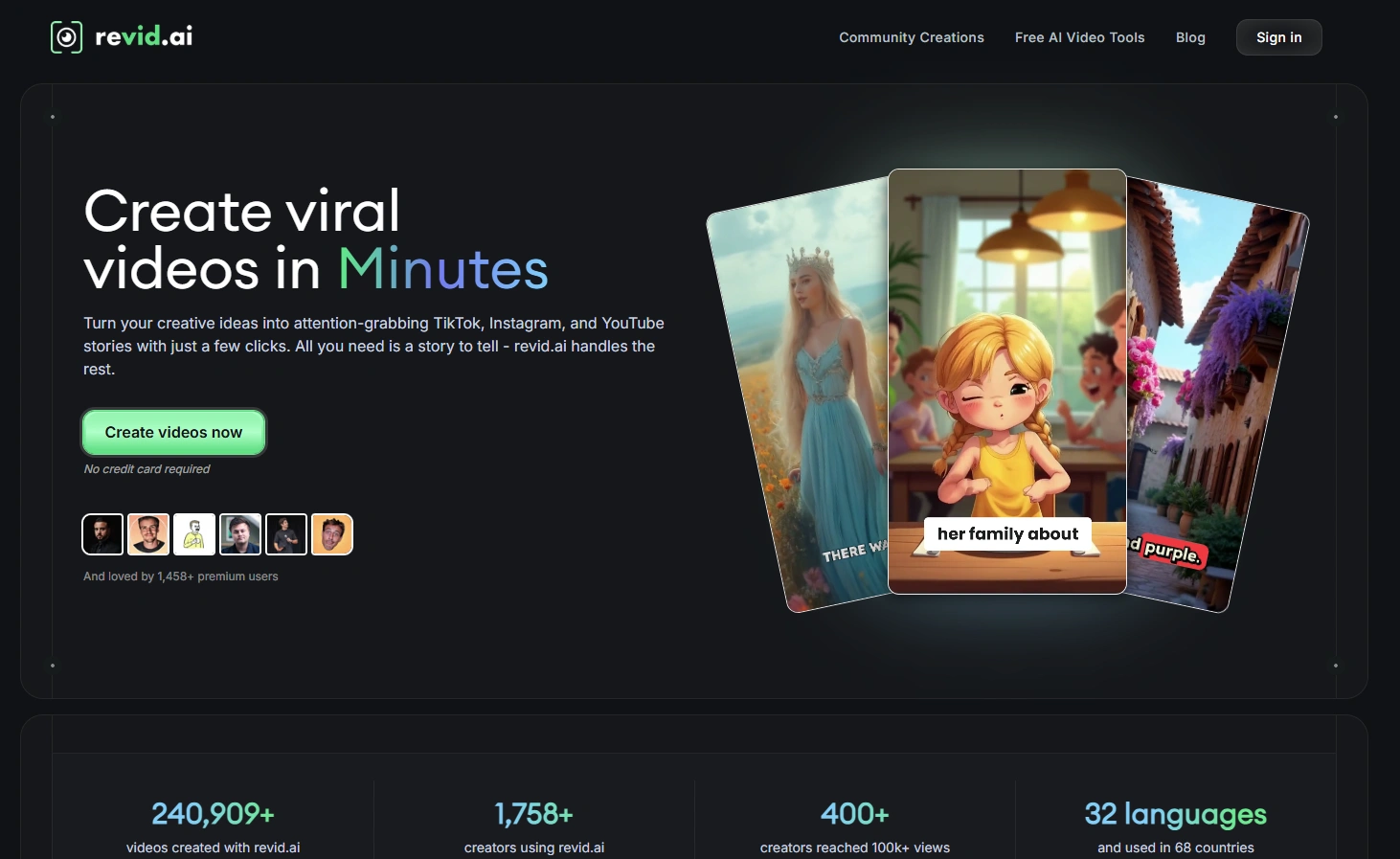
Unlike broader video editing tools, Revid AI is specifically built for the fast-paced, attention-grabbing content that performs well on social media platforms. Its AI-powered script generation understands trending formats and audience preferences, helping creators produce content with higher engagement potential.
What makes Revid AI stand out is its focus on the unique requirements of short-form video. The platform offers features like AI talking avatars that can transform text into lifelike presentations in seconds, and the ability to generate subtitles in over 100 languages.
It also specializes in creating "brainrot" style videos; highly engaging, rapid-paced content that keeps viewers watching.
For content creators, social media managers, and businesses looking to capture attention on short-form video platforms, Revid AI offers a streamlined approach to creating scroll-stopping content without extensive video production experience.
The part that separates it from Lumen5, and from most of this list, is what happens after the render. Revid AI publishes straight to TikTok, Instagram and YouTube on a schedule, reads the performance of what it posted, and can run always on workers that keep producing without you starting each video. It also exposes an API and a CLI. If the reason you are leaving Lumen5 is that exporting a file is only half the job, this and Zebracat are the two tools here that carry it further.
Revid AI Best Features
- Viral Video Optimization - Creates attention-grabbing videos designed for social engagement.
- AI Script Generation - Automatically writes engaging scripts tailored to platform trends.
- Voice Selection - Offers diverse male and female voices for narration.
- AI Talking Avatars - Creates lifelike talking avatars from text in seconds.
- Intuitive Editor - Features a simple interface for quick customizations.
- Scheduled Auto Posting - Publishes directly to TikTok, Instagram and YouTube on a schedule rather than handing you a file.
- Performance Feedback - Reads how posted videos performed and feeds that back into what it makes next.
- Multilingual Subtitles - Supports captions in over 100 languages.
- Content Transformation - Converts PDFs and YouTube videos into engaging short-form content.
Revid AI Limitations
- Platform Specificity - Primarily focused on short-form video formats.
- Style Range - This may offer less versatility for long-form or corporate content.
- Limited Information - Detailed limitations are not publicly available.
Revid AI Pricing
- Lite - $24/month billed yearly, or $29 month to month. 1,500 credits a month
- Growth - $32/month billed yearly, or $39 month to month. 2,000 credits a month
- Elite - $74/month billed yearly, or $89 month to month. 5,000 credits a month
- Ultra - $166/month billed yearly, or $199 month to month. 12,000 credits a month
Prices verified on revid.ai on 4 September 2026. If you see the same plan labeled Hobby rather than Growth, that is Revid running a pricing test rather than two different plans. It is the same product at the same price.
7. VEED - Best for Full Editing Control in the Browser
VEED is the opposite trade from Zebracat. Where Zebracat takes the decisions away from you, VEED gives them all back. It is a proper browser based video editor with a timeline, and in 2026 it has an AI layer on top: prompt to video, AI avatars, dubbing, and a credit pool that runs models like Veo and PixVerse.
Pick it if what you actually missed in Lumen5 was control. Lumen5 gives you templates and a storyboard; VEED gives you tracks, keyframes, masks and precise timing, plus subtitles and translation that are genuinely good. It is also the only tool on this list that exports in 4K, which is the one thing no amount of money buys you on Lumen5.
Be clear about what it is not. VEED will not take a long blog post and hand you a finished video the way Lumen5 does. Its AI generation is aimed at short clips and talking head content, and anything longer is a job you assemble in the editor. If you were using Lumen5 because you did not want to edit, VEED is a step backwards, not forwards. Note also that it bills per seat, so the price you see is multiplied by the number of editors in your workspace.
VEED Best Features
- 4K Export - From the Pro plan upward, and the only tool here that offers it.
- Real Timeline Editing - Full control over tracks, timing and layering in the browser.
- Subtitles and Translation - Automatic subtitles and dubbing across many languages, and this is what VEED is best known for.
- AI Credits for Generation - Prompt to video, AI avatars and image generation from a shared credit pool.
- Per Seat Team Plans - Unlike Lumen5, you can add a colleague without a four figure jump.
- Permanent Free Plan - Watermarked and capped at 720p, but not a trial.
VEED Limitations
- Not a Blog to Video Tool - It generates and edits clips. Turning a long article into a finished video is manual work here.
- Per Seat Billing - The listed price is multiplied by the number of editors in the workspace.
- Free Plan Watermark - Free exports carry a VEED watermark on the footage itself.
- Credit Ceilings - Heavier AI use pushes you up a credit add on ladder on top of the plan price.
VEED Pricing
- Free - $0. 720p, watermarked, 10 minute maximum export, 240 AI credits a month
- Creator - $12.25/month billed yearly at $147, or $25 month to month. 1080p, 500 AI credits a month
- Pro - $22.08/month billed yearly at $265, or $45 month to month. 4K, 2,500 AI credits a month
- Studio - $38.75/month billed yearly at $465, or $79 month to month. 4K, 15,000 credits, custom watermarks
- Enterprise - Custom pricing
Prices verified on veed.io on 4 September 2026, per seat. If VEED is on your shortlist, we have a separate rundown of VEED alternatives and a direct Zebracat vs VEED comparison.
How We've Compiled the List?
This is a refresh of a list first published in March 2025, rebuilt in September 2026 because most of what was on it had stopped being true. Here is exactly what was checked and what could not be.
What we verified, and when
Every price in this article was read from the vendor's own pricing page on 4 September 2026, not from a third party review or an affiliate roundup. Where a vendor's page defaults to annual billing and hides the monthly rate behind a toggle, both figures are given, because quoting the annual rate as if it were monthly is the single most common error in this category. Every tool on the list was also checked for whether it still exists, has been renamed, acquired or pivoted. That check moved two links and removed three tools.
Where the Lumen5 facts come from
The pricing, plan limits, resolution ceiling, seat structure and credit allowances are read from Lumen5's own pricing page, help center and live plan data. The uptime figures and incident dates come from Lumen5's own public status page. That is deliberate: none of it depends on trusting us. The scene matching and stability observations are first hand, from using the product.
How the tools were ranked
Not by feature count. Each tool is placed by the specific Lumen5 problem it solves: generated visuals instead of a stock library, a second seat without a four figure jump, 4K export, or doing something with the video once it exists. If a tool solves a problem you do not have, it is not the right pick for you regardless of where it sits on the list.
Frequently Asked Questions
Is there a free Lumen5 alternative?
Yes, several, and they are free in different ways. VEED has a permanent free plan with a watermark, 720p and a ten minute export cap. Zebracat's free plan gives you five finished videos a month at 720p, capped at 30 seconds, with generated visuals rather than stock. Jogg AI gives you three videos. Pictory no longer has one, having replaced it with a fourteen day watermarked trial in March 2026. Worth knowing that Lumen5's own free plan is more generous than it is usually described: it gives you five videos a month at 720p and adds a branded end card rather than stamping a watermark across your footage.
Who are Lumen5's main competitors in 2026?
Zebracat, Pictory and InVideo are the three you will run into most often. Zebracat is the one that answers Lumen5's core weakness directly, because it generates the visuals for your script instead of searching a stock library for something close, and then schedules and posts the finished video rather than handing you a file. Pictory and InVideo are the closest like for like on workflow, both stock library tools doing the same job Lumen5 does, and both appear on almost every comparison list for this search. Further out, Hypernatural competes on generated B roll, VEED on editing control, and Synthesia and HeyGen take the slice of Lumen5's audience that actually wanted a presenter on screen. Canva and Kapwing pick up the users who want a general design tool rather than a video specific one.
How much does Lumen5 cost in 2026?
Free, then Basic at $29 a month or $19 billed yearly at $228, Starter at $79 or $59 yearly at $708, Pro at $199 or $149 yearly at $1,788, and Team at $3,828 a year, annual only, with three seats. Month to month costs between 34% and 53% more than annual. Note that most articles quote $19, $59 and $149 as monthly prices. Those are the annual rates. Verified on lumen5.com on 4 September 2026.
Does Lumen5 export in 4K?
No. 1080p is the ceiling on every Lumen5 plan including Team at $3,828 a year, and Lumen5's own help center states that 4K uploads are downconverted to 1080p. The Basic plan at $29 a month is capped lower still, at 720p, with 1080p starting at Starter. Of the tools on this list, VEED is the one that exports in 4K, from its Pro plan upward.
Can more than one person use a Lumen5 account?
Not on the self serve plans. Free, Basic, Starter and Pro are all single seat, and there is no additional seat you can buy on any of them at any price. Multi user access starts at the Team plan, which is $3,828 a year for three seats, annual billing only. Going from Pro to a two person setup is therefore a 114% price increase. Most alternatives here sell seats individually, and VEED and Jogg AI both bill per seat at normal per seat rates.
Can I move my Lumen5 videos to another tool?
You can download the finished videos, and videos you rendered while paying stay free of branding permanently. What does not move is the project. There is no export format that another tool can import, so rebuilding a video means starting from the script again. One thing to watch on the way out: if you downgrade and then duplicate or edit an old project, free plan branding is applied to the new draft, so your back catalog stops being reusable the moment you stop paying. Download anything you might want to reuse before you cancel.
What is the best Hypernatural alternative?
Worth answering here because people shortlisting Lumen5 almost always end up comparing Hypernatural too, and it sits at number two on this list. If what you want from Hypernatural is the generated B roll and the hands off workflow, Zebracat does the same thing and then schedules and posts the result rather than stopping at export. If what you want is control over which model runs each generation on one credit balance, InVideo. Both publish their prices clearly, which is worth something here: Hypernatural's pricing page is entirely client side rendered and does not resolve at all without JavaScript enabled.
Which Lumen5 alternative should I actually pick?
Zebracat, for most people reading this. The most common reason to leave Lumen5 is that the stock clips never quite match what you wrote, and the only real fix for that is generating the visuals instead of searching a library for them. Zebracat does that, then publishes and learns from the result rather than handing you a file. Three exceptions worth naming honestly. If you specifically need 4K, take VEED. If you need to edit long recordings and webinars down into clips, take Pictory. And if your only problem with Lumen5 was the price of a second seat, and the stock footage approach suits you fine, Pictory or InVideo will feel more familiar than anything else here.
The Bottom Line
Lumen5 is not broken. It is a stock footage tool that does stock footage work well, and if your videos are general enough that the library covers them, and you are one person, and 1080p is enough, there is no urgent reason to move.
The reasons to move are specific rather than vague. You write about something niche and spend your time replacing clips the AI chose badly. A colleague needs access and the next plan up is $3,828 a year. You need 4K and no plan sells it. Or you are producing weekly and the AI allowances run out in the first fortnight.
If any of those describe you, the fix is not a cheaper stock footage tool. It is a tool that generates the visuals rather than searching for them, and that does something with the video once it is made. That is what Zebracat is: text in, finished video out with the right model picked per scene, then scheduled and posted across your platforms, learning what works for your brand as it goes.
Take the blog post you were about to feed Lumen5 and run it through both. That comparison will settle it faster than any article, including this one.

Hey there, I’m Jenny. I’ve been in marketing for almost 10 years, and I love marketing tech, AI, and automation. I’ve built several YouTube and TikTok channels, some hits, some misses. I joined Zebracat after being a user myself, ready to share my learnings with the world!
Create videos 10x faster and easier with Zebracat
Try it now
Comments