


Table Of Content
Are you tired of using the same stock footage in Pictory? You’re not alone.
Pictory is great for turning text, links, and slides into videos, but sometimes that’s not enough. In 2026, AI video tools have improved a lot, and some offer much more than basic text-to-video features. Pictory has changed a lot too, and not all of it in the buyer’s favor.
The truth is people expect more from videos now. If you want your content to stand out, you need something better than the same stock footage everyone else is using.
Imagine creating your unique visuals, high-quality animations, or even lifelike characters that move naturally.
In this guide, I’ll show you seven Pictory alternatives that can do exactly that. I have tested each one to see what makes them different, whether it’s better video quality, smarter AI, or more editing options. Every price on this page was checked on the vendor’s own pricing page on 4 September 2026.
By the end, you will know which tool is right for your needs and budget. Let’s get started.

The Best Pictory Alternatives At a Glance
- 1. Zebracat - Best for growing on social media with AI video
- 2. Creatify - Best for cloud-based AI video creation
- 3. Google Veo - Best for high-quality realistic videos
- 4. InVideo - Best for one credit pool across many AI models
- 5. Quso AI - Best for all-in-one social media management
- 6. Copycopter - Best for optimizing video script quality
- 7. Pika - Best for specialized character animations
| Tool | Best for | Where the visuals come from | What happens after the video is made | Starts at |
|---|---|---|---|---|
| Zebracat | Growing on social with AI video | Generated, with the newest models picked per scene automatically | Schedules and posts to every platform including YouTube, then learns what works for your brand | $23/mo |
| Creatify | Ad creative at volume | AI actors and ad templates | You export and take it to your ad platform | $39/mo |
| Google Veo | Photoreal single shots | Generated by Veo 3.1, with synced audio | You export the clip and edit elsewhere | $4.99/mo |
| InVideo | Many models on one credit pool | iStock library plus generative models you choose | You export, nothing after that | $17/mo |
| Quso AI | Long video cut into social clips | Your own uploaded footage, clipped by AI | Schedules and publishes to 6 platforms | $19/mo |
| Copycopter | Script quality before you film | Third-party models inside its own editor | You export | Not published |
| Pika | Character animation and effects | Generated by Pika 2.5 | You export the clip | $8/mo |
| Pictory (for reference) | Blog and script into stock video | Stock library matched to your script text | You export, nothing after that | $25/mo |
Starting prices are the cheapest paid plan, annual billing where the vendor offers it, verified on each vendor's own pricing page on 4 September 2026. Full plan detail sits in each tool's section below. Copycopter moved to credit based billing in June 2025 and no longer publishes plan prices.
What Makes the Best Pictory Alternative?
Pictory is a handy tool for turning blog posts into videos, but as AI technology gets better, more creators are running into its limits and looking for other options. If you’re frustrated with stock footage, limited editing features, or videos that don’t feel engaging enough, it might be time to try something new.
One big issue is the heavy use of stock footage. Pictory pulls from pre-made video libraries, which can make your content look generic.
In a busy social media feed, that means your videos might not stand out. Many creators want tools that generate original visuals designed just for their brand.
Another problem is the lack of customization. Pictory lets you make basic edits, but if you want more control over transitions, pacing, or branding, you’ll hit roadblocks.
For marketers and content creators who need polished, professional videos, this can be frustrating.
AI video tools are getting much smarter. Newer options can create entire scenes from just a text description instead of relying on stock footage.
If you want custom visuals that bring your ideas to life, these tools are a game-changer.
Many creators also switch because of quality and engagement. Pictory videos often have a templated look, and people can tell they were made with AI.
This can hurt engagement and conversions. More advanced tools produce high-quality, natural-looking content that grabs attention and keeps people watching.
Another downside is that Pictory struggles with longer videos or complex storytelling. There is a hard 30 minute ceiling on video length on every plan, Enterprise included, and a 1080p export ceiling on every plan as well. If you need multi-scene videos, detailed narratives or 4K delivery, other tools are better suited for the job.
The best alternative depends on what you need. Whether you’re looking for unique AI-generated scenes, more editing options, or higher-quality videos, switching to a more advanced AI tool can help you create better content and get better results.
What Pictory Costs in 2026
Pictory raised prices between late 2025 and now, roughly 20 to 32 percent for the same allowances. These are the current figures from Pictory's own pricing page, checked on 4 September 2026.
- Starter: $29/month, or $25/month billed yearly at $300. 200 video minutes a month, 100 AI credits, 1 seat, 5 GB storage, 1 brand kit
- Professional: $59/month, or $35/month billed yearly at $420. 600 video minutes, 500 AI credits, 120 premium voiceover minutes, 1 seat, 20 GB, 5 brand kits, custom avatars, 2 voice clones
- Team: $199/month, or $119/month billed yearly at $1,428. 1,800 video minutes, 2,400 AI credits, 3 seats, 100 GB, 10 brand kits
- Enterprise: custom pricing
Three things in that table catch people out.
There is no free plan any more. What Pictory calls free is a 14 day trial: 15 video minutes in total, 5 minutes per video, 720p, and since March 2026 every trial export carries a watermark. If you came here looking for a free Pictory alternative, that is why.
Starter gets zero premium voice minutes. Not a small allowance, zero. The pricing page sells ElevenLabs voices as a headline feature, and on the $29 plan you can audition them and then hit an upgrade wall. Premium voice starts on Professional at 120 minutes a month.
The credits are not video minutes. Pictory now runs three separate meters that do not convert into each other: video minutes, AI credits for generative work, and premium voiceover minutes. Generative video costs 20 credits per second, so Starter's 100 monthly credits buy about five seconds of AI generated footage. You can hit one wall with the other two sitting full.
What Users Reported About Pictory Billing in 2026
Two complaints came up often enough across Trustpilot through 2025 and 2026 to be worth knowing before you buy. Both are about money rather than output quality.
The first is that premium voiceover minutes are consumed every time you regenerate, not per finished minute of video. Users describe an allowance that looked generous on the pricing page disappearing after a fraction of the delivered audio, because every retake, voice swap and small script edit draws down the same pool. Nothing on the pricing page says this.
The second is renewal and cancellation friction. Users report annual charges landing with no advance reminder, a cancellation flow routed through a chatbot and a long exit survey, and refunds declined under a non-refundable policy and then granted after the complaint was made in public. Pictory has publicly acknowledged the cancellation friction. If you subscribe annually, set your own reminder.
What I Found Testing Pictory Again in 2026
I went back into Pictory before updating this guide, three product generations after we first reviewed it. The platform has grown a lot: avatars, voice cloning, video translation and a generative credit system all arrived after our first test. The underlying scene and render pipeline has not kept pace, and I hit the same three problems repeatedly.
Scene selection still matches on keywords rather than meaning. This is the clearest one to reproduce. Write a script about diabetes reversal and Pictory serves footage of a car reversing. It is matching a word, not the sentence it sits in, and it happens most on medical, financial and historical topics where a single word carries a second everyday meaning. On a niche script you will replace a meaningful share of the auto-selected clips by hand, which removes most of the time saving that made you pick an automated tool.
The output ignores the duration you ask for. Setting a target length is closer to a suggestion than an instruction. If you are cutting to a platform limit or an ad slot, budget time to trim afterwards.
Exports come back with random black frames. Not every time, and not in the same place twice, which is the annoying part. The same unchanged project can export clean once and with dropped frames the next time, so the only reliable fix is to watch every export end to end before you publish it. On a batch workflow that is a real cost.
None of this makes Pictory a bad tool. It makes it a tool you have to check, and that is what pushes most people to look at the alternatives below. For the full breakdown of how it performs, see our hands-on Pictory review, and for a head to head against the other big text-to-video platform, our Pictory vs InVideo comparison.
Best Pictory Alternatives I Tried in 2026 (Free & Paid)
1. Zebracat - Best for Growing on Social Media with AI Video
Zebracat is an AI-powered tool that turns text into fully edited, engaging videos in under two minutes, with no manual editing needed. It’s built for marketers, business owners, and content creators who want high-quality videos without spending time or having technical skills.

Unlike Pictory, which mainly pieces together stock footage, Zebracat does everything for you. It handles scriptwriting, scene creation, voiceovers, and music selection automatically.
All you have to do is provide text, and the platform generates a ready-to-publish video, with no editing required.
What really sets Zebracat apart is that it does not stop at the video. It looks at what is already working in your niche, builds on the formats that are performing, then schedules and posts across every platform including YouTube. It learns from what comes back, so over time it picks up what works for your brand and remembers your taste. That makes it less a video generator than an engine for growing on social with video, which is a different job from the one most tools on this list are doing.
The second difference sits under the hood. Zebracat plugs into the newest AI video models, usually within days of release, and picks the right one per scene automatically. You never have to track which model is currently strongest at motion, faces or on-screen text, and the routing is tuned to spend the fewest credits for the quality the shot actually needs.
For businesses that need to produce lots of video content quickly without sacrificing quality, Zebracat is a game-changer. Whether you’re repurposing blog posts, promoting products, or sharing content across multiple platforms, it helps you create professional videos in minutes.
Zebracat Best Features
- 78 AI Visual Styles: Vast library of AI-generated styles for creating unique videos without manual adjustments
- AI Avatars: Create professional spokesperson videos without appearing on camera
- 150+ AI Voices: Realistic voiceovers in 80+ languages for professional narration
- Voice Cloning: Replicate your voice for consistent branding without re-recording
- AI-Powered Video Generation: Complete automation from text input to finished video
- Engaging Original Visuals: Generates custom visuals rather than using generic stock footage
- 1M+ Stock Footage Library: Access to high-quality supplementary clips when needed
- Smart Music Selection: AI automatically selects appropriate music and sound effects
- Full Editing Control: Option to customize AI-generated content without starting from scratch
- Automatic Model Routing: Picks the best current AI model per scene, so you get the quality without tracking model releases or burning credits on the wrong one
- Publishing and Growth Loop: Schedules and posts to every major platform including YouTube, then learns what performs for your brand
- Niche Research Built In: Finds what is already working in your niche and builds on those formats instead of guessing
- AI Scene Generator: Transforms text descriptions into dynamic visual storytelling
- Natural-Sounding Text-to-Speech: Expressive, human-like AI voiceovers
Zebracat Limitations
- Limited Free Plan: The free plan caps you at 5 videos, 720p and 30 seconds per video, and adds a watermark
- Basic Customization: While editable, lacks some advanced tools found in professional editing software
- Initial Learning Curve: First-time users may need time to explore all features
- Occasional Processing Delays: Complex videos may take longer to generate during peak usage
Zebracat Pricing
- Free Plan: 5 videos, 720p, up to 30 seconds each, standard AI voices, watermarked
- Cat Mode: $23/month billed yearly, or $39 month to month. 15 videos a month, 2 minute maximum, 350 generative credits, 1080p, no watermark
- Super Cat: $59/month billed yearly, or $99 month to month. 40 videos a month, 5 minute maximum, 1,400 credits, 5 custom avatars, 5 voice clones, translation into 25+ languages
- Unlimited Cat: $119/month billed yearly, or $199 month to month. Unlimited videos, 3,600 credits, 10 custom avatars, 10 voice clones, unlimited brand kits
- Enterprise: from $599/month, with API access and a dedicated success manager
Which Zebracat Plan Is Best For You?
- The free plan works well for testing the platform's capabilities but has significant limitations for professional use.
- Cat Mode offers excellent value for individual creators and small businesses needing watermark-free, professional-quality videos.
- Super Cat provides the best option for marketing teams, agencies, and businesses that need to scale content production with custom AI visuals, voice cloning, and AI avatars.
- Unlimited Cat suits teams publishing daily, where the video count rather than the feature set is the constraint.
Zebracat is a much more affordable option than traditional video production or manual editing. Its pricing makes AI-powered video creation easy and cost-effective for businesses of all sizes.
What Are Real Users Saying About Zebracat?
Absolute kudos to the creators of this! I just got it and was testing it out, and I had to stop to leave a much-deserved review. This thing is so easy to use, super fast, and the options are great. The AI voices are great too. I just made my first video post in like three minutes!
2. Creatify - Best for Cloud-Based AI Video Creation
Creatify is a cloud-based AI video creation platform designed to generate engaging video ads from text prompts, product images or a product URL. In 2026 it has narrowed its positioning to performance marketing rather than general video editing, and it runs on a credit system with a library of AI actors and ad templates.

Unlike Pictory, which primarily repurposes existing content with stock footage, Creatify excels at creating videos from scratch with a significantly wider range of input options.
It's particularly valuable for marketing teams who need to produce large volumes of video content without the associated time investment traditional methods require.
What makes Creatify stand out is its powerful cloud-based AI engine that handles the entire video creation process in one platform. You can start with just a text prompt or image, and the system generates complete videos with synchronized audio, appropriate transitions, and engaging visuals.
This approach means you're not limited to what's available in stock libraries, the AI can visualize your specific concepts more accurately.
For businesses looking to scale their video marketing without expanding their production team, Creatify offers an efficient solution that combines ease of use with professional-quality results. Its cloud-based architecture also makes sure you can access and create videos from any device with internet access, making it ideal for distributed teams or on-the-go content creation.
Creatify Best Features
- Text-to-Video Generation: Creates complete videos directly from text descriptions
- Image-to-Video Conversion: Transforms static images into dynamic video content
- Enterprise-Level Scalability: Handles large-scale video production needs
- Intuitive User Interface: Designed for non-technical users
- Cloud-Based Access: Create videos from anywhere with an internet connection
- Customizable Templates: Starting points that maintain brand consistency
- Batch Processing: Generate multiple videos simultaneously
- Output Format Flexibility: Export in various resolutions and aspect ratios
Creatify Limitations
- Limited Advanced Editing: Fewer manual customization options than professional software
- Generic Outputs Risk: AI-generated content may sometimes lack unique creative flair
- Learning Curve for Optimal Results: Getting the best output requires practice with prompt writing
- Higher Bandwidth Requirements: Cloud-based operation needs stable internet
Creatify Pricing
- Free: 10 credits a month, roughly two video ads, with a watermark on every export
- Starter: $39/month. 100 credits, videos up to 2 minutes, 1 seat, watermark removed, 5 GB storage
- Pro: $99/month. 300 credits expandable to 5,000, videos up to 10 minutes, up to 5 seats, 1,500 AI actors and 3 custom avatars, 10 GB
- Enterprise: custom pricing, white label and a dedicated account manager
Creatify advertises a discount for annual billing but does not publish the annual figures on its pricing page, so the monthly rates above are the ones to plan against. Note that the mid tier roughly doubled over the past year, from $49 to $99.
3. Google Veo - Best for High-Quality Realistic Videos
Google Veo is an advanced AI video generation model designed to create exceptionally realistic and high-quality video content, now on version 3.1 with natively synchronized audio. The way you buy it changed completely over the past year: most people now reach it through Flow, Google's creative studio, or through the Gemini app on a Google AI subscription, rather than paying per second through an API.

Unlike Pictory, which creates videos by assembling stock footage, Google Veo represents the next generation of video creation - generating completely original footage that looks like it was filmed with a camera. This capability makes it particularly valuable for creating videos that would be impossible or impractical to shoot conventionally.
What sets Google Veo apart is its unparalleled visual quality and realism. The AI has been trained on a massive dataset of real-world footage, allowing it to understand and recreate complex scenes with accurate lighting, natural movement, and realistic textures.
This means your marketing videos, instructional content, or creative projects can feature scenarios and settings that would normally require expensive production teams.
For businesses and creators who need videos that truly stand out with cinematic quality, Google Veo offers a revolutionary approach that eliminates traditional production limitations. Whether you're creating product demonstrations, conceptual marketing videos, or scenario-based training content, Google Veo delivers results that can be indistinguishable from professionally filmed footage.
Google Veo Best Features
- Exceptional Video Quality: Generates incredibly realistic and detailed videos
- Advanced AI Technology: Leverages Google's state-of-the-art AI infrastructure
- Realistic Scene Generation: Creates lifelike environments and characters
- Unlimited Creative Potential: Visualizes concepts difficult to capture with traditional filming
- Temporal Consistency: Maintains coherent motion and physics throughout scenes
- Lighting and Environmental Control: Precise management of visual elements
- Seamless Transitions: Natural flow between different scenes and settings
- High-Resolution Output: Produces videos suitable for professional applications
Google Veo Limitations
- Credit Budgeting: Generation draws on a monthly Flow credit pool, so heavy use means moving up a tier rather than paying per clip
- Complex Interface: Requires technical knowledge for optimal results
- Resource Intensive: May need significant processing power for higher-quality outputs
- Learning Curve: Getting specific results requires understanding AI prompt engineering
Google Veo Pricing
For everyday users, Veo is bought as a Google AI subscription and measured in Flow credits, not seconds.
- Free: 50 Flow credits a day, no Flow Tools and no 1080p upscaling
- Google AI Plus: $4.99/month, 50 daily credits plus 200 a month
- Google AI Pro: $19.99/month, 50 daily credits plus 1,000 a month
- Google AI Ultra: $99.99/month, 50 daily credits plus 10,000 a month, with a higher $199.99/month tier at 25,000 credits. Ultra adds 4K upscaling
Developers can still buy per second through Vertex AI, where Veo 3 costs $0.20 per second for video only and $0.40 per second with audio, with a cheaper Veo 3 Fast option. Google does not publish a per second rate for Veo 3.1 on its own pricing pages.
This matters if you are reading an older comparison. The $0.50 per second figure that still circulates is the legacy Veo 2 rate, and it makes Veo look several times more expensive than it now is. Set against other AI video generation tools, a $19.99 subscription is a very different proposition from $1,800 an hour.
4. InVideo - Best for One Credit Pool Across Many AI Models
InVideo is the other big text-to-video platform people compare Pictory against, and it changed shape completely over the past year. It is no longer a template editor with an AI mode bolted on. It is now a credit based platform that puts several frontier video models behind one subscription, including Seedance 2.5, Veo 3.1 and Kling 3, and the separate Studio plan line has been retired.
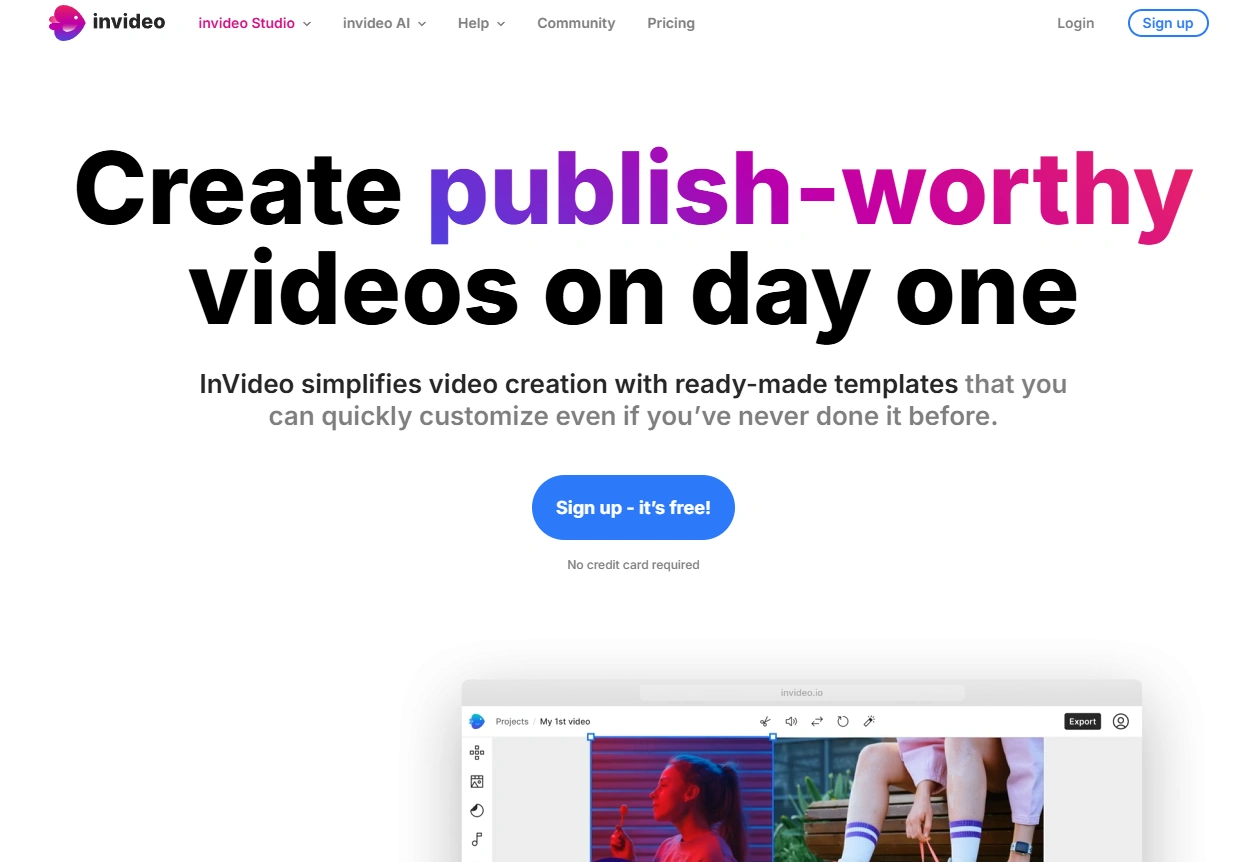
Unlike Pictory, which pulls stock clips to match your script, InVideo lets you point a single credit balance at whichever model suits the shot, then edit by typing instructions rather than dragging a timeline. Its iStock integration is also the deepest stock access at this price, which matters if you are the kind of Pictory user who liked the stock workflow and just wanted better footage.
The trade-off is that credits are the whole story. They cover video creation, generative models and features from one pool, they reset on your renewal date, and they do not roll over. Generative clips are billed at the underlying models' own API rates, so a video built from several Veo 3.1 or Kling 3 scenes drains a month far faster than a stock based one. If you iterate a lot, budget for it.
If you are choosing between the two directly, we ran them head to head in our Pictory vs InVideo comparison, and there is a longer write-up in our hands-on InVideo review.
InVideo Best Features
- Multiple Models, One Subscription: Seedance 2.5, Veo 3.1 and Kling 3 accessible from a single credit balance
- Prompt to Draft in Minutes: Structure, footage, voiceover and captions assembled automatically from one prompt
- Editing by Command: Revise scenes by typing instructions instead of manual timeline work
- Deep iStock Library: The strongest stock access at this price point, from 100 to 5,000 assets by plan
- AI Avatars and Voice Cloning: From 4 avatars on Plus up to 200 on Elite
- Accurate Auto Captions: Reliable subtitles without manual timing
- No Watermark on Paid Plans: Unlimited exports from Plus upward
- Generous Storage: 20 GB on Plus, scaling to 10 TB on Elite
InVideo Limitations
- Credits Disappear on Iteration: Every regeneration draws down the same pool, so effective cost per published video runs well above the plan price
- Credits Do Not Roll Over: Anything unused at your renewal date is gone
- The Template Look: Stock and template driven output can look like everyone else's
- Shallow Manual Control: Fixing the last ten percent by hand is harder than in a real editor
- Creation Only: No scheduling, posting or performance loop after export
InVideo Pricing
- Free: limited credits and watermarked exports, enough to test the workflow
- Plus: $17/month billed yearly at $200. 750 credits, 4 AI avatars, 20 GB storage, 100 iStock assets, no watermark
- Max: $85/month billed yearly at $1,000. 3,900 credits, 16 avatars, 100 GB, 200 iStock assets
- Generative: $170/month billed yearly at $2,000. 8,000 credits, 40 avatars, 2 TB, 1,000 iStock assets
- Elite: $900/month billed yearly at $10,800. 42,500 credits, 200 avatars, 10 TB, 5,000 iStock assets
Those are the annual billed rates shown on InVideo's pricing page. InVideo's own toggle indicates monthly billing costs roughly 15 percent more. InVideo does not publish how many credits a finished video consumes, which is the number you actually need, so plan on Plus covering somewhere around a dozen finished stock based videos a month and fewer once you lean on the generative models.
5. Quso AI - Best for All-in-One Social Media Management
Quso AI (formerly Vidyo AI) is a comprehensive AI marketing platform that simplifies social media content creation and management. It has evolved from a video editing tool into a complete suite for content creation, scheduling, analytics, and multi-platform management.

Unlike Pictory, which focuses primarily on transforming text into video, Quso AI provides an end-to-end solution for social media marketing. It doesn't just create videos - it helps manage your entire content strategy across multiple platforms, making it particularly valuable for businesses and creators who need a comprehensive approach.
What makes Quso AI stand out is its unified ecosystem that combines AI-powered video creation with practical tools for content distribution and performance tracking. You can create videos, optimize them for different platforms, schedule posts, analyze results, and refine your strategy - all within one interface.
This integrated approach significantly streamlines workflows for social media managers and marketing teams.
For businesses and creators struggling with fragmented tools and complex processes, Quso AI offers a centralized solution that simplifies content creation and management. Whether you're repurposing existing content for different platforms, creating new videos from scratch, or analyzing your content's performance, Quso AI provides the tools you need in one accessible platform.
Quso AI's Best Features
- AI Content Creation: Generates engaging content optimized for various social platforms
- Cross-Platform Management: Handles multiple social media accounts efficiently
- Video Editing Automation: Streamlines the editing process with AI-powered tools
- User-Friendly Interface: Intuitive design suitable for all skill levels
- Integrated B-roll Library: Includes royalty-free stock images, videos, and audio
- Content Scheduling: Plans and automates post-publishing
- Performance Analytics: Tracks engagement and conversions across platforms
- AI Caption Generation: Creates engaging text overlays automatically
Quso AI Limitations
- Free Tier Caps: The free plan exports at 720p only and keeps your data for just 7 days
- Storage Ceilings: 10 GB on Lite, 25 GB on Essential, 75 GB on Growth
- Learning Curve: May take time to master all the platform's features
- Template Variety: Could offer more industry-specific templates
Quso AI Pricing
- Free: 75 credits a month, 720p export cap, 7 day data retention
- Lite: $29/month, or $19/month billed yearly at $228. 100 credits a month, doubled to 200 on annual. Unlimited 1080p clips, publishing to 6 platforms, 10 GB
- Essential: $39/month, or $26/month billed yearly at $312. 300 credits, doubled to 600 on annual. Adds filler and silence removal, external content support, Content Planner, 25 GB
- Growth: $49/month, or $33/month billed yearly at $396. 600 credits, doubled to 1,200 on annual. Adds a custom brand kit, the Viddy assistant, social analytics, 75 GB
Quso counts roughly one credit per minute of processed video. Worth noting if you are comparing against an older article: $33 is now the Growth annual rate, not the Essential monthly rate it used to be, so a stale figure looks right while pointing at the wrong tier.
6. Copycopter - Best for Optimizing Video Script Quality
Copycopter is an AI tool focused on improving the foundational element of any great video: the script. It helps users enhance their writing by correcting grammar, optimizing style, and crafting more engaging content that resonates with viewers.

Unlike Pictory, which focuses on transforming existing text into video, Copycopter concentrates on improving the quality of your script before video production begins. This approach recognizes that even the best video production tool can't compensate for weak messaging or poor writing.
What makes Copycopter stand out is its specialized focus on creating compelling, persuasive, and engaging script content. The tool analyzes your writing for grammar, style, tone, and effectiveness, then provides intelligent suggestions to enhance clarity, emotional impact, and conversion potential.
This optimization process ensures that when you do create your video - whether with Pictory or another tool - the foundation of your content is already exceptionally strong.
For marketers, content creators, and businesses who understand that great videos start with great scripts, Copycopter offers a specialized solution that fills a critical gap in the content creation workflow. Improving your messaging before production begins, helps ensure higher engagement, better retention, and stronger conversion rates for your final videos.
Copycopter Best Features
- Advanced Grammar Checking: Identifies and corrects grammar and spelling errors
- Style Enhancement: Offers suggestions to improve writing style and tone
- Vocabulary Optimization: Recommends more effective and impactful words
- Tone Analysis: Evaluates tone consistency and audience appropriateness
- Conversion Optimization: Enhances scripts for better viewer response
- Emotional Impact Assessment: Analyzes emotional resonance of content
- Clarity Improvement: Simplifies complex ideas without losing meaning
- Platform-Specific Recommendations: It customizes suggestions for different video platforms
Copycopter Limitations
- No Direct Video Creation: Focuses solely on script improvement, not video production
- Learning Curve for Advanced Features: Some sophisticated tools require practice
- Context Understanding Gaps: May occasionally miss the industry-specific context
- Subjective Recommendations: Style suggestions may not always align with personal preferences
Copycopter Pricing
Copycopter moved to credit based billing in June 2025 and no longer publishes plan prices on its pricing page, so this is the one tool here we cannot give you a verified 2026 figure for. What the site does publish is the per action credit cost: image generation runs 1 to 2 credits, image to video 6 to 24, upscaling 1, and a full project 10 to 130 depending on length and models used.
- Hobby: $13/month ($160 yearly)
- Growth: $19/month ($228 yearly)
- Pro: $34/month ($410 yearly)
- Massive: $84/month ($1,008 yearly)
Those four tiers are the last figures Copycopter published, and they pre-date the move to credits. Treat them as a rough indication of where the product sits rather than what you will pay, and check the current cost in the app before you commit.
7. Pika - Best for Specialized Character Animations
Pika is an AI video generation tool that excels in creating character animations and creative effects from text prompts or images. The current model is Pika 2.5, and in 2026 the company has built an agent layer and an MCP endpoint on top of it so other tools can call its models directly. It stands out for its ability to generate unique, character-focused animations that bring stories and concepts to life in visually striking ways.

Unlike Pictory, which primarily assembles stock footage to match your content, Pika creates custom animations based on specific prompts. This approach allows for more creative and unique visual storytelling, particularly when character-driven narratives are needed.
What makes Pika stand out is its sophisticated character animation capabilities. The platform excels at creating expressive characters and stylized animations that can represent abstract concepts, fictional scenarios, or branded mascots. This specialization makes it particularly valuable for creative storytelling, brand campaigns, educational content, or entertainment.
For content creators who need engaging character-driven videos that go beyond what stock footage libraries can offer, Pika provides a powerful solution.
Whether you're creating mascot-based marketing content, animated explainer videos, or creative storytelling pieces, Pika's AI-powered animation tools can bring your ideas to life with distinctive visual styles and character movements that would be difficult to achieve with traditional video tools.
Pika Best Features
- AI-Driven Character Animation: Creates expressive, animated characters from text descriptions
- Text-to-Video Generation: Transforms written prompts into animated sequences
- Creative Style Variety: Offers multiple visual styles and animation approaches
- Character Customization: Allows for detailed character design specifications
- Consistent Animation: Maintains character identity throughout video sequences
- Style Transfer: Applies artistic styles to existing characters or scenes
- Motion Control: Specifies movement types and animation dynamics
- Scene Composition: Creates cohesive environments for characters to interact within
Pika Limitations
- Processing Time: Complex animations can take time to generate
- Control Precision: Fine-tuning specific animation details can be challenging
- Text Integration Issues: Sometimes struggles with incorporating text elements
- Style Consistency: There may be occasional variations in style throughout longer videos
- Resolution Gate: The free plan and Basic are locked to 480p, so 1080p means Standard at $28/month
Pika Pricing
- Free: a permanent free plan, not a trial. Downloads carry no watermark and commercial use is allowed, but you are capped at 480p and image to video only
- Basic: $8/month billed yearly. 80 credits a month, 480p
- Standard: $28/month billed yearly. 700 credits, unlocks 720p and 1080p
- Pro: $76/month billed yearly. 2,300 credits
- Fancy: 6,000 credits, price not listed on the pricing page
Those are the annual billed rates. Pika's page has a monthly toggle advertising 20 percent off for annual, but it does not render the monthly figures, so budget against the annual numbers. Generations cost 10 to 80 credits each depending on the model and effect, which is the real constraint on the cheaper tiers.
How I've Compiled the List
I didn’t just pick random Pictory alternatives, I tested each one myself to see what really works. My goal was to find tools that solve the biggest problems Pictory users face and offer real improvements.
How I Chose These Alternatives
I focused on tools that are better than Pictory in at least one key area: visual quality, AI features, customization, or special functions. I also looked at how well they handle different types of content and whether they deliver better results for specific needs.
What Users Are Saying
Along with my tests, I went through hundreds of user reviews on G2, Capterra, and industry forums. Instead of just looking at random opinions, I focused on common patterns, what people consistently praise or complain about, so I could get a fair and balanced view.
Pricing and Value
I compared prices to features, making sure premium plans offer something worth paying for. I also checked for hidden costs and how useful the free versions are. My goal was to find the best value for different budgets.
Ease of Use
Complicated software can be a dealbreaker, so I tested each tool’s interface, templates, and workflow. I paid attention to how easy it is to get started and whether you can create high-quality videos without a steep learning curve.
Integrations
A good video tool should fit smoothly into your workflow. I tested how well these alternatives connect with content management systems, social media schedulers, and analytics tools to make sure they don’t create extra work.
Customer Support
When things go wrong, good support matters. I looked at response times, help documentation, and tutorial quality to see which companies support their users.
Expert Opinions
To back up my findings, I talked to professional video marketers, AI developers, and content strategists. Their input helped me confirm which tools perform well in professional settings, not just in flashy demos.
The Best Alternative
For creators who want high-quality videos with minimal effort, Zebracat stood out. It’s super easy to use and delivers impressive results without needing technical skills. It was also the only tool here that carries on past the export, scheduling and posting the videos and learning what works for the brand, which matters more than raw generation quality if the goal is growth rather than one good video.
Pictory Alternatives: Frequently Asked Questions
How much does Pictory cost in 2026?
Pictory has three self-serve plans plus Enterprise. Starter is $29 a month, or $25 a month billed yearly at $300, and includes 200 video minutes and 100 AI credits. Professional is $59 a month, or $35 billed yearly at $420, with 600 video minutes, 500 credits and 120 premium voiceover minutes. Team is $199 a month, or $119 billed yearly at $1,428, with 1,800 minutes, 2,400 credits and 3 seats. Prices rose roughly 20 to 32 percent over the past year for the same allowances. Verified on pictory.ai on 4 September 2026.
Does Pictory have a free plan?
No. Pictory offers a 14 day free trial, not a free plan. The trial gives you 15 video minutes in total, caps each video at 5 minutes, exports at 720p, and since March 2026 adds a watermark to every export. If you need a genuinely free tier, Zebracat, Pika, Quso AI, Creatify and Google Veo all have permanent free plans.
What is the best free alternative to Pictory?
It depends what free needs to do for you. Zebracat's free plan gives you 5 finished videos at 720p with AI generated visuals rather than stock. Pika's free plan is the only one here that exports without a watermark and permits commercial use, though it is capped at 480p. Quso AI gives you 75 credits a month, around 75 minutes of processed video, at 720p. Google Veo's free tier gives 50 Flow credits a day for generated footage.
Why do people switch away from Pictory?
Three reasons come up most. The scene selection matches on keywords rather than meaning, so a script about diabetes reversal can return footage of a car reversing, which means manually replacing clips on any niche topic. There is a hard 30 minute video length ceiling and a 1080p export ceiling on every plan, Enterprise included. And the pricing runs on three separate meters, video minutes, AI credits and premium voiceover minutes, that do not convert into each other, so you can hit one wall with the other two full.
Does Pictory charge in minutes or credits?
Both, plus a third meter. Video minutes are still the primary unit and are deducted on the first download of a project. AI credits were added in October 2025 as a separate currency for generative work, priced per operation, and generative video runs at 20 credits per second. Premium ElevenLabs voiceover minutes are a third pool. Credits roll over, voiceover minutes do not, and video minutes reset on the first of the month.
Can Pictory export in 4K?
No. 1080p is the ceiling on every Pictory plan, including Team at $199 a month and Enterprise. If you need 4K, Google Veo offers 4K upscaling on its Ultra tier.
Which Pictory alternative is closest to how Pictory works?
InVideo is the nearest like for like if you liked the stock footage workflow and wanted better footage and more models, and it now runs several frontier models on one credit pool. Zebracat is the closest match on the automation side, taking text to a finished video with generated visuals, voiceover and captions and no manual editing. We compared the first pair directly in our Pictory vs InVideo write-up.
Is Pictory still worth it in 2026?
For straightforward blog to video work on general business topics where stock footage is fine, it still does the job. It stops being the obvious choice if you produce on niche or technical subjects where the scene matching struggles, if you need videos longer than 30 minutes, if you need 4K, or if you plan to lean on generative features, because the credit allowances on the lower plans run out quickly.
The Bottom Line
After testing Pictory and its competitors, I’ve found that it’s a good starting point for AI video creation, especially for turning blog posts and scripts into simple videos with stock footage. But if you need more advanced results, its limits quickly become clear.
Through my testing, I saw big differences between Pictory and the more advanced tools in this guide. If you’re frustrated with stock footage, limited editing options, or videos that look too generic, it might be time to switch to something better.
What surprised me most was how much the right tool can improve content quality. The alternatives I’ve found offer more unique visuals, higher production value, and way more creative freedom, changes your audience will notice right away.
If you are still deciding whether to leave, read our full Pictory review first, or the head to head in Pictory vs InVideo. If you have already decided, the fastest way to judge any of the tools above is to run the same script through two of them and compare what comes back.
All prices on this page were verified on each vendor's own pricing page on 4 September 2026. Pricing moves quickly in this category, so check before you buy.

Hey there, I’m Jenny. I’ve been in marketing for almost 10 years, and I love marketing tech, AI, and automation. I’ve built several YouTube and TikTok channels—some hits, some misses. I joined Zebracat after being a user myself, ready to share my learnings with the world!
Create videos 10x faster and easier with Zebracat
Try it now
Comments