


Table Of Content
VEED is a good video editor. That is the honest starting point, and it is why this list exists at all.
It is genuinely strong at the things it was built for: timeline editing, working from a script, and building videos out of stock footage. If that is your job, VEED does it well and you probably do not need to leave.
The trouble starts when you want the AI to do the work rather than assist it. VEED is a video editor that had AI added on top, and after a few months of real use you can feel that in the product. Animations, fully generated videos and AI voiceover integration are where it thins out. The tools built as AI generators from the start handle those differently, because generation is the core rather than a feature bolted to a timeline.
There is a second problem, and it is the one that actually cost me time. VEED runs on AI credits, and it is very hard to see where they go. The cost of a generation is not published anywhere before you commit to it, and after the fact there is no clear ledger of what consumed your balance. When generations failed, and they did, the credits went with them. That is frustrating on its own and it makes the plan you are on impossible to budget.
So this list is split by what you actually want. If you want a better editor, several tools here beat VEED at editing. If you want video generated for you, that is a different category of product and the first entry is where to start.
These are the seven best VEED alternatives in 2026, with pricing verified on each vendor's own page on 4 September 2026.

The 7 Best VEED Alternatives at a Glance
| Tool | Best for | Where the visuals come from | What happens after the video is made | Starts at |
|---|---|---|---|---|
| Zebracat | Generating social video end to end, no editing | AI generated per scene, plus a stock library | Schedules and posts across platforms, then learns from what performed | $23/mo billed yearly |
| Descript | Editing video by editing the transcript | Your own footage, plus AI avatars | You export, or round-trip to Premiere or DaVinci | $16/mo billed yearly |
| CapCut | Fast social edits and templates, on any device | Your own footage, templates, stock, AI generation | You export and post manually | No published price |
| Kapwing | Team editing in the browser, closest to VEED | Your own footage plus stock | You export and post manually | $16/mo billed yearly |
| Clipchamp | Free editing on Windows and web | Your own footage plus Microsoft stock | You export, or save to OneDrive | Free, or via Microsoft 365 |
| Opus Clip | Cutting long videos into short clips | Clips pulled from video you already have | You export, or schedule to social | $14.50/mo billed yearly |
| Vmaker AI | Screen recording, tutorials and demos | Your screen and webcam | You export or share a link | $18/mo billed yearly |
| VEED | Browser editing with AI tools on top | Your own footage, stock, AI generation | You export and post manually | $12/mo per seat billed yearly |
Prices verified on each vendor's own pricing page on 4 September 2026. All figures are the annual-billing rate unless stated. VEED and Kapwing charge per seat, so the price multiplies by the number of editors in your workspace.
Why People Leave VEED in 2026
VEED changed shape over the past year. The old Lite and Pro ladder is gone, replaced by Creator, Pro and Studio, and almost every AI feature now runs on a credit balance rather than being included in the seat. Most of the comparison articles still on the first page of Google are arguing against a version of VEED that no longer exists, so it is worth being specific about what the current product actually does.
These are the reasons people move, in the order they tend to bite.
1. You cannot see what a generation costs before or after you run it
This is the one that pushed me to look elsewhere. VEED meters AI work in credits: Creator includes 6,000, Pro 30,000 and Studio 180,000. What no page tells you is how many credits any particular job consumes. The cost appears at the moment you click generate, and it changes with the model behind the feature, so a short clip can cost a fraction of what a similar one did the day before.
After the fact it is worse. There is no clear breakdown of where a balance went. You are left comparing a number that dropped against a vague memory of what you made. On a team plan, where several people are generating against one pool, this makes forecasting close to impossible. Users have been asking VEED directly how many credits a script-to-video run costs, in VEED's own community forum, since at least May 2026, and the question keeps going unanswered.
2. Failed and unusable generations still cost you
The product was not as stable as it needed to be, and when a generation failed the credits went anyway. VEED's own documentation says credits are deducted only on success and that failed generations cost nothing. The gap is in the definition. A generation that completes and returns something unusable is not counted as a failure, so you pay for it and pay again to redo it.
This is not an isolated experience. Trustpilot reviews from early September 2026 describe the same pattern, including one user who reported burning roughly half of a credit balance on a voice and face clone that came back with the wrong likeness and the wrong voice. VEED's Trustpilot average is 4.2, but 15% of its reviews are one star, and the billing and credit complaints cluster there. Its Capterra score, on a smaller and non-vendor-sourced sample, sits at 3.2.
3. The AI is layered on an editor, not built into a generator
VEED does the editing-adjacent AI well. Subtitles, transcript trimming and stock-driven assembly are solid, and the AI Agent that arrived with VEED 3.0 handles instructions like resizing for a platform without much fuss.
Where it lags is anything that has to be created rather than assembled. Animations, fully generated videos and integrated AI voiceovers were consistently the weakest part of my output. Dubbing has hard annual ceilings, roughly six hours a year on Pro and twelve on Studio, and the lip-sync toggle is still in beta and downsamples your video to 1080p while adding hours to the render. If what you need is generated video, you are asking an editor to do a generator's job.
4. Specific things that break
One is worth flagging because it is reproducible and still open. Replacing the source media on a project wipes every subtitle, forcing a full re-caption, and it happens even when the replacement is the same length and codec. Six separate people raised it in VEED's own community forum in a thread running from February to July 2026, staff acknowledged it, and users ended up inventing workarounds. At least one left for Premiere Pro over it.
Beyond that, the most-cited complaints on G2 are render and upload lag on larger files, a shallow feature set for anything past basic editing, and inconsistent AI avatar quality.
What that means for choosing a replacement
The choice comes down to what you actually want the tool to do.
- You want video generated for you, not edited by you: go to Zebracat. Different category, and the one worth trying first if AI output is the point.
- You want to edit video the way you edit a document: Descript.
- You want free, and you are fine assembling it yourself: CapCut or Clipchamp.
- You want a browser editor that works like VEED but with a bigger credit pool: Kapwing.
The 7 Best VEED Alternatives in 2026 (Free and Paid)
1. Zebracat: Best for generating social video end to end
Zebracat is an AI video generator, not an editor with AI features attached. You give it a prompt, a script, a blog post or an audio file, and it produces a finished video: script, scenes, voiceover, music and captions, in one pass. There is no timeline to drive.

The difference against VEED is the direction the tool works in. VEED starts with an editor and asks the AI to help. Zebracat starts with generation and gives you editing afterwards to adjust what it made. If your complaint about VEED was that the AI-native output was thin, that is the whole reason this one is first.
Why pick Zebracat over VEED?
- It does not stop at export. Zebracat finds what is already performing in your niche, builds on the formats that work, generates the video, then schedules and posts it across your platforms including YouTube, and learns from the results. Every other tool on this list hands you a file and leaves. This is the single largest difference and it is easy to verify: check what each of these products does the moment your video is finished.
- No model homework. Zebracat routes each video, and each scene inside it, to whichever AI model suits it, and picks up new models usually within days of release. You never have to learn which model is good at what, or pick one. That is the opposite of VEED's credit model, where the cost swings depending on which engine sits behind the button you pressed and you find out afterwards.
- Genuinely AI-native output. Animations, generated scenes and integrated voiceovers are the core of the product rather than an add-on, which is exactly the gap that shows up in VEED.
- Conversational rather than a timeline. You work with it by describing what you want and adjusting, which removes most of the learning curve that a browser editor still carries.
If you want the direct feature-by-feature version, we keep a Zebracat vs VEED comparison that goes deeper than this entry can.
Zebracat Best Features
- Automatic model routing: the newest AI video models, selected per video and per scene, tuned for the best quality per credit.
- Text, script, blog or audio in, finished video out: no assembly step.
- Publishing and scheduling built in: post across social platforms including YouTube from the same place you generated.
- Learns your brand and your taste: it remembers what worked and what you kept rejecting.
- AI avatars and voice cloning: appear on camera without appearing on camera, or keep one consistent voice across everything.
- 170+ languages, with translation into 25+ from Super Cat upward.
- Original AI visuals plus a 1M+ stock library: generated scenes when you want something nobody else has, stock when you do not.
- AI scene builder: turns a flat script into structured visual storytelling.
- YouTube video generator and text to video as dedicated workflows.
Zebracat Limitations
- The free plan is a trial, not a plan: 5 videos total, 30 seconds each, 720p, watermarked.
- Exports cap at 1080p on every tier. If you need 4K delivery, Descript and Kapwing both do it and Zebracat does not.
- Not a replacement for a real editor: you can adjust what the AI produced, but frame-level work belongs in Premiere or DaVinci.
- Best on short-form: video length caps at 2 minutes on Cat Mode and 5 minutes above it.
Zebracat Pricing
- Free: 5 videos, watermarked, for trying it
- Cat Mode: $39/month, or $23/month billed yearly. 15 videos and 350 generative credits a month, 1080p, no watermark
- Super Cat: $99/month, or $59/month billed yearly. 40 videos, 1,400 credits, custom avatars and voice clones
- Unlimited Cat: $199/month, or $119/month billed yearly. Unlimited videos, 3,600 credits
- Enterprise: from $599/month, with API access and team roles
Prices verified 4 September 2026.
Which Zebracat Plan is Best for You?
- Cat Mode suits a solo creator or a small business publishing a few videos a week.
- Super Cat is the one most marketing teams land on, because custom avatars and voice cloning are where brand consistency starts to matter.
- Unlimited Cat is for agencies and anyone producing at volume, where the video count becomes the constraint before the credits do.
Generate your first video with Zebracat and see what a tool built as a generator produces, rather than an editor doing its best.
What Are Real Users Saying About Zebracat?
It is fun and easy to use. The options for various types of creations from photo-realistic to stop-motion scenes created are perfect for my channel. They offer far more variety and options for my specific use compared to some of the other tools I have used recently. I have visited the site frequently since finding it and I have been able to produce exactly what I am looking for.
2. Descript: Best for editing video by editing the transcript
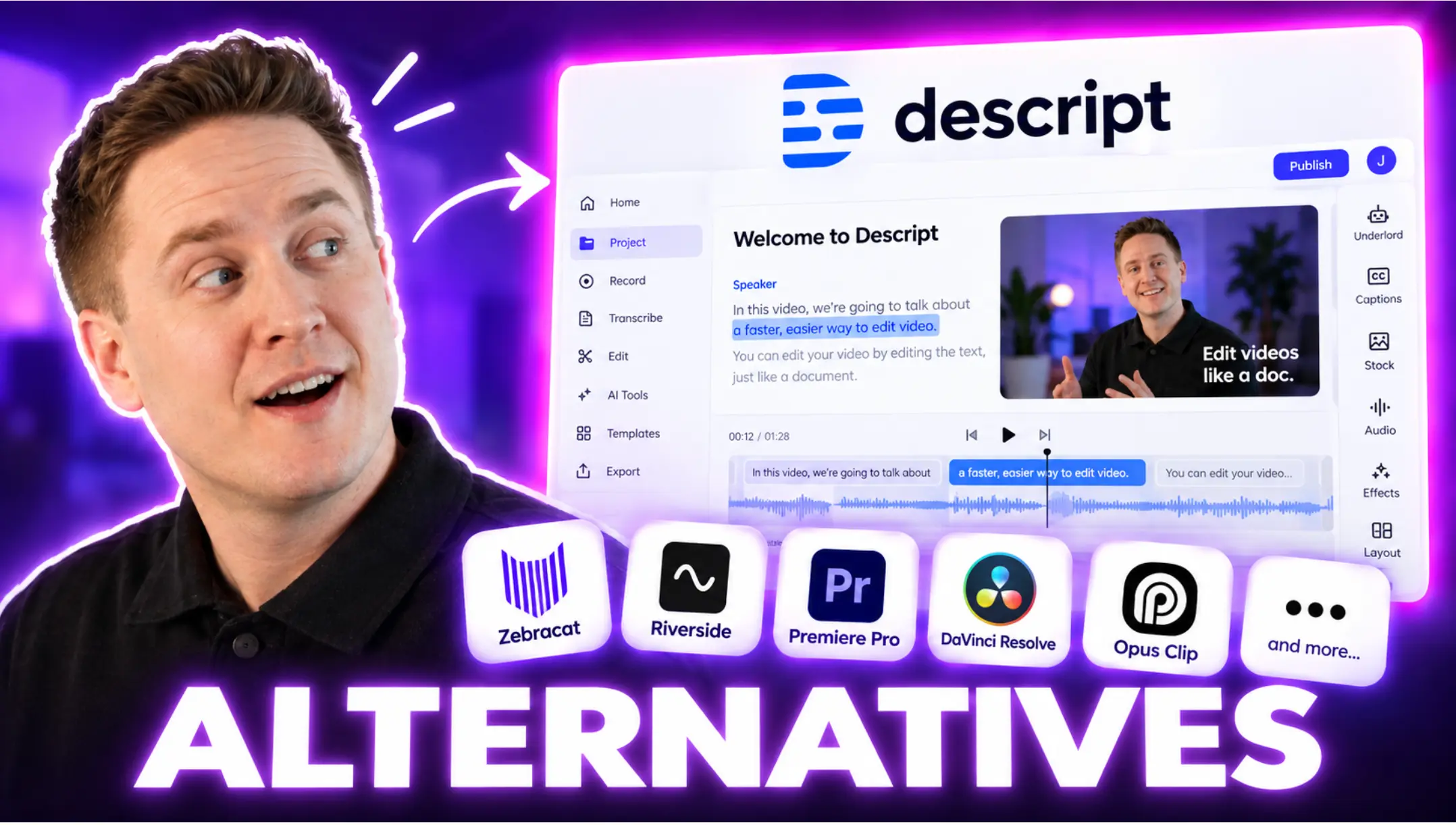
Descript turns your video into a document. It transcribes what was said, and you edit the video by editing that text: delete a sentence and the footage goes with it. For anyone who has spent an afternoon scrubbing a timeline hunting for an "um", the shift is hard to go back from.
It is the single most recommended VEED alternative on the web right now, and the reason is straightforward. VEED added a script-based trimming mode; Descript was built around one, and the difference shows in the edge cases. It also has the strongest podcast and multi-speaker audio handling of anything on this list, which is where several people moving off VEED said they landed.
The AI layer, called Underlord, handles filler-word removal, studio-grade audio cleanup, eye contact correction and green screen without a green screen. Voice cloning and AI avatars are there too, though they are metered by credits in the same way VEED's are.
Descript Best Features
- Transcript-based editing: cut the words, cut the video.
- Studio Sound: makes a mediocre microphone in a bad room sound close to a treated booth.
- Filler word removal: one click across the whole project.
- Multitrack podcast editing: proper handling of several microphones at once.
- Screen recording built in.
- Timeline export to Premiere Pro, Final Cut, DaVinci and Reaper, so it can sit in front of a real NLE rather than replacing it.
- Overdub voice cloning and AI avatars.
Descript Limitations
- The free tier's AI is limited by a one-time credit grant: 100 AI credits that never refresh, versus 400 to 1,500 a month on paid plans. It is enough to see what the features do, not to use them.
- Hobbyist has no top-up path: 10 hours of media a month, and if you run out your only option is to upgrade, not to buy more.
- 4K and NLE round-tripping need Creator: Hobbyist caps local export at 1080p and does not include timeline export.
- It is still an editor: it will not generate a video from a prompt.
Descript Pricing
- Free: 1 hour of media a month, 720p, watermarked
- Hobbyist: $24/month, or $16/month billed yearly. 10 hours of media, 400 AI credits, 1080p
- Creator: $35/month, or $24/month billed yearly. 30 hours, 800 credits, 4K, timeline export
- Business: $65/month, or $50/month billed yearly. 40 hours, 1,500 credits
- Enterprise: custom
Prices verified 4 September 2026.
3. CapCut: Best free editor for fast social video
CapCut is the default answer to "I need something free that actually works". It is ByteDance's editor, it runs on mobile, desktop, web and iPad, and its template library is the fastest route from raw footage to something that looks native on TikTok or Reels.
It belongs in the same category as VEED rather than opposite it. Both are editors that have added AI generation on top, CapCut through Dreamina and Seedance models metered by credits. If your reason for leaving VEED is cost rather than capability, CapCut does most of the same work for free.
One thing to know before you commit. CapCut does not publish a price. Its own help centre states that pricing varies by region, device and whatever promotion is running, and directs you to check inside the app rather than listing figures. There is no public rate card for Free, Standard, Pro or Teams. CapCut also maintains a help article explaining why subscribers have seen their Pro price increase, following a plan restructure that raised AI credits from 550 to 1,200 and storage from 100GB to 1TB. Teams can only be bought and administered on the web; the mobile app has no upgrade path at all.
CapCut Best Features
- A free tier that is genuinely usable: not a demo with a watermark gate at export.
- Enormous template library, updated with whatever format is currently working on social.
- Auto captions with styling that matches platform conventions.
- Works everywhere: the same project on phone, desktop and browser.
- Background removal and auto-reframe without a green screen.
- AI generation through the Dreamina and Seedance models.
CapCut Limitations
- You cannot price it before signing up. No public figures for any tier, by CapCut's own stated policy. For a business putting this on a budget line, that is the finding.
- Your renewal price is not your signup price. CapCut has a standing help page explaining Pro price increases as a consequence of plan changes users did not opt into.
- Teams is web-only to purchase and administer. A mobile-first team hits this immediately.
- Consumer-first: brand kits, approvals and team review are thin compared with Kapwing or Descript.
CapCut Pricing
- Free: available on all platforms
- Standard, Pro and Teams: no published price. CapCut states pricing depends on region, device and current promotions, and shows it inside the app. The only figure it publishes is a stated range of $15 to $30 per seat per month for Teams on annual billing.
Checked against CapCut's own help centre on 4 September 2026.
4. Kapwing: Best like-for-like browser editor
If you like how VEED works and just want more of it for the money, Kapwing is the closest swap on this list. Same idea: a collaborative browser editor built for teams repurposing content, with subtitling, resizing, clipping and dubbing as the core jobs.
The reason to switch is the credit pool. Kapwing's Pro plan includes 1,000 AI credits a month at $16 per seat billed yearly, against VEED Creator's 6,000 a year at roughly $12. Kapwing also publishes exactly what each AI feature costs against that pool, which is the transparency VEED does not offer.
Kapwing Best Features
- Real-time team collaboration in the browser, no installs.
- Published per-feature credit costs: auto-subtitling, translation, text to speech, clean audio, dubbing and lip sync each have a stated allowance per tier.
- Smart resize across aspect ratios in one action.
- 4K export on every paid tier.
- Auto-subtitling and translation as first-class features rather than add-ons.
- Custom voice clones and lip sync on Business.
Kapwing Limitations
- The free tier is smaller than it looks. The plan card says unlimited watermarked exports, but the comparison table on the same page caps free exports at 30 minutes a month with a 4-minute limit per video. That is roughly seven short videos.
- Free projects are deleted after 3 days. Storage duration on the free plan is 3 days versus the length of the subscription on paid.
- Pro cannot buy more credits. Top-ups are Business only, so exhausting 1,000 credits means jumping from $16 to $50 per seat.
- Per seat, like VEED. The price multiplies by the number of editors.
Kapwing Pricing
- Free: 10 credits total, 720p, watermarked, 30 minutes of export a month
- Pro: $24/month, or $16/month billed yearly at $192. 1,000 credits a month, 4K, 100GB
- Business: $64/month, or $50/month billed yearly at $600. 4,000 credits, 500GB, voice cloning
- Enterprise: custom
Prices verified 4 September 2026. Priced per member, per month.
5. Clipchamp: Best free editor if you are already on Microsoft
Clipchamp is Microsoft's browser and Windows editor, and its pitch is simplicity plus a free tier that exports at 1080p with no watermark. That last part matters: most free editors either watermark you or cap you at 720p, and Clipchamp does neither.

The template-driven approach gets you from nothing to a finished social post or marketing video quickly, and the Microsoft 365 integration means exports to OneDrive and sharing through Teams work without thinking about it. If your organisation already pays for Microsoft 365, the premium features are sitting there unused.
Its position has shifted since 2025. Clipchamp is increasingly a surface inside the Microsoft 365 and Copilot stack rather than a standalone product you buy, which is why Microsoft no longer publishes a standalone Premium price. Worth knowing: Microsoft discontinued the Clipchamp iOS app in June 2026, with the final build shipping in April and no export route for videos left inside it.
Clipchamp Best Features
- Free exports at 1080p with no watermark: the most generous genuinely free tier here.
- Large template library for social, marketing and presentations.
- Screen recording built in, for tutorials and demos.
- Brand kit: colours, logos and fonts applied across projects.
- Microsoft 365 integration: OneDrive export and Teams sharing.
- Stock library of video, images and audio.
Clipchamp Limitations
- No iOS app since June 2026. Windows and web only.
- No standalone Premium price is published. Premium arrives bundled with Microsoft 365 rather than sold on its own, so pricing it independently is not possible from Microsoft's own pages.
- Thin on advanced editing: fine for straightforward work, not for complex projects.
- Basic collaboration compared with Kapwing or Descript.
- Little AI generation: this is an editor, and it does not pretend otherwise.
Clipchamp Pricing
- Free: $0, exports up to 1080p, no watermark
- Premium: included with Microsoft 365 Personal at $9.99/month or $99.99/year, or Family at $12.99/month or $129.99/year. 4K export and premium stock
- Business: Clipchamp Editor Standard $3/user/month and Premium $7/user/month, annual commitment. Also bundled with Microsoft 365 Business and Enterprise plans
Prices verified 4 September 2026 on Microsoft's own pages. Microsoft publishes no standalone Premium figure, so we do not quote one.
6. Opus Clip: Best for turning long videos into short clips
Opus Clip does one job. Feed it a long video, a podcast, a webinar or a stream, and it finds the moments worth cutting out, scores them for likely performance, reframes them vertically and adds captions.

It is not a VEED replacement in the general sense, and it is on this list because a large share of people searching for VEED alternatives actually want clipping rather than editing. If that is you, a dedicated tool beats a general editor.
It has grown since 2025. There is now an AI producer flow, AI B-roll, a social scheduler, dubbing and a public API with an MCP server, which puts it in reach of agent workflows in a way VEED is not.
Opus Clip Best Features
- Virality scoring: ranks the clips it found rather than dumping all of them on you.
- Auto-reframe that tracks the speaker into vertical.
- Animated captions in 20+ languages.
- Batch processing: many clips from one source at once.
- Social scheduler and direct publishing to Shorts, TikTok and Reels.
- XML export to Premiere Pro and DaVinci Resolve for finishing.
- Public API and MCP server for automated pipelines.
Opus Clip Limitations
- It repurposes, it does not create. You need existing footage.
- Free clips expire after 3 days and carry a watermark.
- Starter is monthly only: no annual option on the entry tier.
- Misses context on niche or technical material, where the interesting moment is not the loud one.
Opus Clip Pricing
- Free: 60 credits a month, 1080p, watermarked, clips expire after 3 days
- Starter: $15/month, billed monthly only. 150 credits a month, watermark removal
- Pro: $29/month, or $14.50/month billed yearly at $174. 3,600 credits a year available up front, 2 seats, AI B-roll, scheduler, XML export
- Business: custom
Prices verified 4 September 2026.
7. Vmaker AI: Best for screen recordings, tutorials and demos
Screen recording is the sub-category VEED handles least well, and it is a real chunk of what people leave for. Vmaker AI is built around it: capture your screen, your webcam or both, then let the AI clean up the recording rather than editing it manually.

The post-production automation is the point. It strips background noise, generates captions, cuts highlight reels and summarises long recordings, which is most of the work on a tutorial or product demo. It will also cut long recordings into shorts, so there is overlap with Opus Clip at the lower tiers.
Vmaker AI Best Features
- High-quality screen and webcam capture, together or separately.
- Automatic noise removal and audio cleanup.
- Auto captions and translation.
- Highlight reels and summaries generated from long recordings.
- Annotation during recording: draw and highlight live.
- Branded player pages on Teams and above.
- Integrations with YouTube, Google Drive and Slack.
Vmaker AI Limitations
- Narrow by design: outside screen-based content there is not much reason to use it.
- Download caps are low: 10 a month on Starter, 30 on Teams.
- Export length is capped at 30 minutes on Starter and 45 on Teams, which is short for a full webinar.
- Few creative effects compared with a general editor.
Vmaker AI Pricing
- Free: 600 clipping credits, 5GB storage, 20 minutes of subtitles a month, watermarked
- Starter: $24/month, or $18/month billed yearly at $216. 10 downloads a month, 1080p, 30-minute exports
- Teams: $39/month, or $25/month billed yearly at $300. 30 downloads, 2K, 45-minute exports, branded player
- Enterprise: custom. 4K, 3-hour exports, SSO
Prices verified 4 September 2026. The $18 and $25 figures widely quoted for this tool are the annual rates, not the monthly ones.
How We've Compiled the List
This is not a list of video editors ranked by feature count. Every tool here was checked against a specific question: what job does someone leaving VEED actually need done?
Criteria for Selection
Each tool had to be clearly better than VEED at something a VEED user complains about, whether that is AI generation, transcript editing, cost, screen recording or clipping. Three tools that were on the 2025 version of this list are gone. Moovly shut down: its Belgian operating company entered insolvency in May 2025 and its domain now sits at a drop auction, so it cannot honestly appear on a list of working software. Kdenlive was removed because a desktop open-source editor does not answer the same question a browser tool does. Lemon Slice was removed because it repositioned in December 2025 into a developer API for real-time avatars and is no longer a product a video creator would buy.
Pricing Verification
Every price here was read off the vendor's own pricing page on 4 September 2026, not from a directory or a comparison site. Those are frequently months out of date, and in Moovly's case several of them still listed live 2026 pricing for a product that has not existed since May 2025. Where a vendor does not publish a figure, as with CapCut and with Clipchamp's standalone Premium tier, we say so rather than repeating a number from elsewhere.
User Reviews and Feedback
We read recent reviews on Trustpilot, G2 and Capterra, and full community threads rather than search snippets, weighted towards the past six months. Complaints attributed to other users are marked as such. Where this article describes a first-hand experience, it is a first-hand experience.
Product State
Several of these tools changed shape in the past year. VEED renamed its plans and moved to credit-metered AI, CapCut restructured its tiers, Clipchamp folded into Microsoft 365 and dropped its iOS app, and Opus Clip added an API. Each entry describes the 2026 product, not the 2025 one.
Frequently Asked Questions
What is the best alternative to VEED.io?
It depends on which half of VEED you are replacing, and there are two clear answers rather than one. If you want video generated for you, Zebracat, because it was built as a generator rather than an editor with AI attached, and it publishes and learns from results rather than stopping at export. If you want a better editor, Descript, because transcript-based editing is faster than a timeline for almost all talking-head and podcast work.
Is there a free alternative to VEED.io?
Yes, and two of them are genuinely usable rather than trials. Clipchamp's free tier exports at 1080p with no watermark, which is more generous than VEED's free plan, which caps at 720p and watermarks every export. CapCut is free across mobile, desktop and web with the largest template library of anything here. Kapwing and Descript both have free tiers, but they are small: Kapwing caps free exports at 30 minutes a month and deletes projects after 3 days, and Descript's free AI runs on a one-time credit grant that never refreshes.
What are the best VEED alternatives for AI video generation?
Zebracat, if you want a finished video from a prompt, script or blog post, including voiceover, captions and scenes. This is the category VEED is weakest in, because its AI sits on top of an editor rather than driving it. For AI applied to footage you already have, Descript's Underlord and Opus Clip's clipping are both stronger than VEED's equivalent.
Who are VEED's main competitors?
Kapwing and Clipchamp compete with it most directly, as browser editors doing the same job. CapCut competes on price by being free. Descript competes on editing method. Zebracat, Synthesia and HeyGen compete from the AI generation side rather than the editing side, which is the direction the market has moved.
How much does VEED cost in 2026, and how do its AI credits work?
VEED runs three paid tiers plus Enterprise, priced per seat: Creator at around $12 per user per month billed yearly with 6,000 AI credits, Pro at around $24 with 30,000, and Studio at around $39 with 180,000. Because it is per seat, the price multiplies by the number of editors in your workspace. Every AI generation draws on the credit balance, and the cost per generation varies with the model behind the feature. VEED does not publish a per-feature credit table, so the practical answer is that you find out what things cost by spending. See our Zebracat vs VEED comparison for the full breakdown.
VEED vs Descript: which should I pick?
Descript, for almost any project where someone is talking. Transcript editing, filler-word removal and multitrack audio are all better, and Studio Sound is meaningfully ahead of VEED's audio cleanup. Pick VEED instead if you need a conventional timeline, work heavily with stock footage, or want subtitle styling and translation as the main job.
Is VEED still worth it in 2026?
As an editor, yes. It is good at timeline editing, script-driven work and stock-based assembly, and if that describes your work there is no strong reason to move. As an AI video platform, it is harder to recommend, because the credit model is opaque in both directions: you cannot see what a generation will cost before you run it, and you cannot see where your balance went afterwards. If AI-generated output is the point of the tool for you, a purpose-built generator will produce better results per credit spent.
The Bottom Line
VEED is a capable editor that has had AI added to it. That is not a criticism of the editing, which is good, and if editing is what you need then several tools on this list simply do it better and cheaper: Descript if your video has people talking in it, Kapwing if you want the same browser workflow with a bigger and clearer credit pool, CapCut or Clipchamp if you want it for free.
If what you actually wanted was for the AI to make the video, the problem is not that VEED is bad at it. The problem is that generation is not what the product is. That shows up in the animations, in the fully generated videos, in how the voiceovers integrate, and in a credit system you cannot see into either before or after you spend.
Zebracat was built the other way round. Generation is the product, editing comes after, and it does not stop when the file is finished: it schedules and posts across your platforms and learns what performed so the next video is better. If that is the gap you have been trying to close with an editor, close it with a generator instead.
Create your first video with Zebracat and see the difference in one generation.
Also worth reading: our Zebracat vs VEED comparison for the direct head-to-head, and VEED vs InVideo if InVideo is the other tool on your shortlist.

Hey there, I’m Jenny. I’ve been in marketing for almost 10 years, and I love marketing tech, AI, and automation. I’ve built several YouTube and TikTok channels—some hits, some misses. I joined Zebracat after being a user myself, ready to share my learnings with the world!
Create videos 10x faster and easier with Zebracat
Try it now
Comments